Have you ever sent an important email and waited several days without receiving a reply? It can be frustrating, especially when you need an answer to finish a task, make a decision, or move a project forward.
Sending a gentle reminder email for no response is a simple way to bring your previous message back to someone’s attention. The key is to sound polite, professional, and friendly without making the recipient feel pressured.
In this guide, you’ll find 15 ready-to-use gentle reminder email examples, professional subject lines, tips for writing a polite follow-up, and advice on when to send another message. Whether you’re contacting a client, coworker, manager, recruiter, or business partner, these examples will help you ask for a response naturally.
What Is a Gentle Reminder Email for No Response?
A gentle reminder email for no response is a polite follow-up message sent when someone has not replied to an earlier email. Its purpose is to remind the recipient about your previous message and encourage them to respond.
It gives the other person another chance to review your request without making them feel uncomfortable.
People commonly send these emails when they are waiting for:
- A reply to an important question.
- Feedback on a document or project.
- Approval from a manager.
- A response from a client.
- Information from a coworker.
- An update about a job application.
- Confirmation of a meeting or appointment.
- Payment or an invoice update.
A good reminder email is usually short and clear. It mentions the original topic, explains what response is needed, and ends with a polite request.
Example 1:
Hi Sarah,
I wanted to follow up on my previous email about the project proposal. Have you had a chance to review it?
I’d appreciate your feedback whenever you have a moment.
Best regards,
Michael
This message works because it reminds Sarah about the proposal and asks a simple question without blaming her for the delay.
15 Gentle Reminder Email Examples for No Response
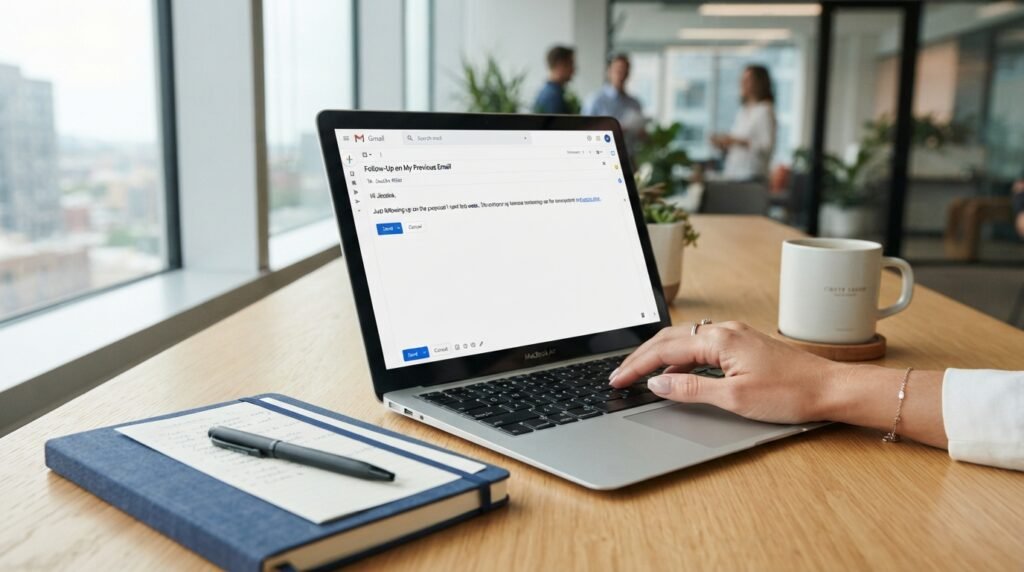
Here are 15 practical email templates for different situations. You can copy them, replace the names and details, and send them according to your needs.
1. Simple Gentle Reminder Email
Use this email when you want to remind someone about an unanswered message without sounding too formal.
Subject: Gentle Reminder About My Previous Email
Hi [Name],
I hope you’re doing well.
I just wanted to follow up on my previous email regarding [topic]. I understand you may be busy, so I wanted to bring it back to your attention.
Whenever you have a moment, I’d appreciate your response.
Thank you!
Best regards,
[Your Name]
This is a good choice for everyday professional communication. It is friendly, respectful, and suitable for coworkers, clients, and business contacts.
2. Professional Gentle Reminder Email
Use this version when contacting a manager, senior colleague, or someone you do not know well.
Subject: Follow-Up on My Previous Email
Dear [Name],
I hope this email finds you well.
I’m writing to follow up on my previous message regarding [subject]. I would appreciate it if you could share your feedback or provide an update when convenient.
Please let me know if you need any additional information from my side.
Thank you for your time.
Best regards,
[Your Name]
This version keeps the tone formal while making your request clear. It also gives the recipient an opportunity to ask for more details.
3. Friendly Reminder Email to a Colleague
Use this message when following up with a coworker about a task, file, or pending information.
Subject: Quick Reminder About [Task Name]
Hi [Name],
Just a quick reminder about the [task or information] I emailed you about earlier.
When you get a chance, could you please share an update? It would help me move forward with the next step.
Thanks for your help!
Best,
[Your Name]
This message is suitable for regular workplace communication. It explains why you need the response without creating unnecessary pressure.
4. Gentle Reminder Email to a Client
When a client does not respond, keep your message polite and focused on their needs.
Subject: Following Up on [Project or Proposal Name]
Hi [Client’s Name],
I hope you’re having a great week.
I wanted to follow up on the proposal I shared on [date]. I would love to hear your thoughts and see if you have any questions.
Please let me know if you’d like to discuss any part of the proposal.
Looking forward to hearing from you.
Best regards,
[Your Name]
This email keeps the business relationship friendly. It also makes it easy for the client to ask questions before making a decision.
5. Gentle Reminder Email to Your Boss
When you need an answer from your manager, be respectful and explain why the response matters.
Subject: Follow-Up on [Request or Project]
Hi [Manager’s Name],
I wanted to follow up on my previous email about [specific request or project].
I would appreciate your feedback whenever you have a moment, as your input will help me move forward with the next steps.
Please let me know if you need any additional details.
Thank you!
Best,
[Your Name]
This message is professional without sounding demanding. It also gives your manager a clear reason to respond.
6. Gentle Reminder Email After an Interview
If a recruiter or hiring manager has not contacted you after an interview, send a polite follow-up.
Subject: Follow-Up on [Job Title] Interview
Dear [Interviewer’s Name],
I hope you’re doing well.
Thank you again for taking the time to interview me for the [Job Title] position at [Company Name].
I wanted to follow up and ask if there are any updates regarding the hiring process.
I’m still interested in the opportunity and would appreciate any information you can share.
Thank you for your time.
Best regards,
[Your Name]
This email shows continued interest in the position while respecting the recruiter’s time. If the recruiter gave you a specific decision date, wait until that date has passed before following up.
7. Second Gentle Reminder Email
If your first reminder also receives no response, send another short message after giving the recipient enough time.
Subject: Second Follow-Up on [Topic]
Hi [Name],
I hope you’re doing well.
I’m following up once more on my previous emails about [topic]. I understand you may have a busy schedule, but I would appreciate a quick update when possible.
Please let me know if this is still something we can move forward with.
Thanks for your time.
Best regards,
[Your Name]
This email is useful when you still need an answer but do not want to sound impatient. It also gives the recipient a chance to confirm whether the matter is still active.
8. Final Gentle Reminder Email
Use this message when you have already sent one or two follow-ups and need to close the conversation.
Subject: Final Follow-Up Regarding [Topic]
Hi [Name],
I wanted to reach out one last time regarding my previous emails about [topic].
I understand that your priorities may have changed. Could you please let me know if this is still under consideration?
If I don’t hear back, I’ll assume this is not a priority at the moment and will close the loop for now.
Thank you for your time.
Best regards,
[Your Name]
This message sets a clear boundary without sounding rude. Use it only when you are comfortable pausing the matter if no response arrives.
9. Gentle Reminder Email for Pending Approval
Use this template when you need approval before continuing with a project or task.
Subject: Reminder: Approval Needed for [Project Name]
Hi [Name],
I hope you’re doing well.
I’m following up on the approval request I sent on [date] for [project or document name].
Could you please review it and let me know if everything looks good? Your approval will help us move forward with the next stage.
Please let me know if any changes are needed.
Thank you!
Best regards,
[Your Name]
This email clearly explains what needs approval and why the response matters. It is useful for managers, project leads, and clients.
10. Gentle Reminder Email for a Pending Payment
When a customer has not responded about an unpaid invoice, use a polite but clear message.
Subject: Friendly Reminder: Invoice [Invoice Number]
Hi [Client’s Name],
I hope you’re doing well.
I’m writing to follow up on invoice [Invoice Number], which was sent on [date].
Could you please confirm whether the invoice has been received and share an update on its payment status?
If payment has already been made, please disregard this reminder.
Thank you for your attention.
Best regards,
[Your Name]
This message reminds the client about the invoice without making accusations. It also allows them to confirm payment or report a problem.
11. Gentle Reminder Email for a Meeting Confirmation
Use this email when someone has not confirmed a meeting invitation.
Subject: Quick Reminder: Meeting Confirmation
Hi [Name],
I wanted to follow up on the meeting invitation I sent for [date and time].
Could you please confirm whether this time works for you?
If you have a scheduling conflict, I’m happy to discuss another suitable time.
Thanks!
Best,
[Your Name]
This message makes it easy for the recipient to confirm or suggest another time.
12. Gentle Reminder Email for Feedback
When you are waiting for comments on a document, report, or proposal, try this version.
Subject: Follow-Up on Feedback for [Document Name]
Hi [Name],
I hope everything is going well.
I wanted to check whether you’ve had a chance to review the [document or report name] I shared earlier.
Your feedback would be helpful so I can make any necessary changes before moving forward.
Whenever you have time, please share your thoughts.
Thank you!
Best regards,
[Your Name]
This email explains how the feedback will be used. It is suitable for coworkers, editors, clients, and project managers.
13. Gentle Reminder Email for a Business Proposal
If you sent a business proposal and have not heard back, use a message that invites questions rather than demanding a decision.
Subject: Following Up on Our Business Proposal
Hi [Name],
I hope you’re doing well.
I wanted to follow up on the business proposal I sent on [date].
Have you had a chance to review it? I’d be happy to answer any questions or discuss possible changes that may better fit your needs.
Please let me know if you’d like to schedule a short call.
Looking forward to your feedback.
Best regards,
[Your Name]
This approach keeps the conversation open and gives the recipient a simple next step.
14. Gentle Reminder Email for Missing Information
Use this message when someone has not sent the details or documents you need.
Subject: Reminder: Pending Information for [Project Name]
Hi [Name],
I hope you’re having a good day.
I’m following up on my earlier request for [specific information or document].
Could you please send it when you have a chance? I need this information to complete [specific task].
If you need more time, please let me know.
Thanks for your help.
Best,
[Your Name]
This message is clear and polite. It also allows the recipient to explain if they need more time.
15. Short and Simple Gentle Reminder Email
Sometimes a few sentences are enough. Use this version for someone you already communicate with regularly.
Subject: Quick Follow-Up
Hi [Name],
Just checking in on my previous email about [topic].
Have you had a chance to look at it?
I’d appreciate a quick update when you have a moment.
Thanks!
[Your Name]
This is a useful option for everyday work emails where a long explanation is not needed.
Best Subject Lines for a Gentle Reminder Email
A good email subject line tells the recipient what the message is about. It should be short, clear, and connected to your original email.
Here are some subject lines you can use:
| Situation | Subject Line |
|---|---|
| General follow-up | Gentle Reminder About My Previous Email |
| Professional request | Follow-Up on My Previous Message |
| Friendly reminder | Quick Check-In About [Topic] |
| Client follow-up | Following Up on [Project Name] |
| Pending approval | Reminder: Approval Needed |
| Job interview | Follow-Up on [Job Title] Interview |
| Payment reminder | Friendly Reminder: Invoice [Number] |
| Meeting confirmation | Quick Reminder: Meeting Confirmation |
| Feedback request | Follow-Up on Requested Feedback |
| Second reminder | Second Follow-Up on [Topic] |
| Final reminder | Closing the Loop on [Topic] |
| Missing information | Reminder: Pending Information |
Tip: If you are replying to your original email, keep the existing subject line. This helps the recipient see the earlier conversation in the same email thread.
How to Write a Gentle Reminder Email for No Response
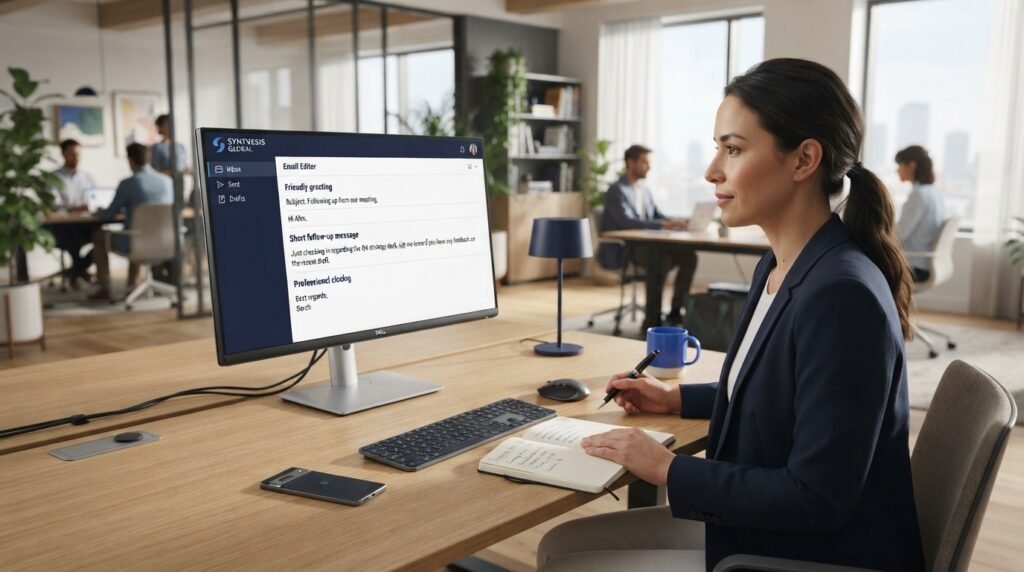
Writing a polite reminder does not have to be difficult. Follow these six steps to create a clear and professional message.
1. Choose a Clear Subject Line
Your subject line should tell the recipient why you are contacting them.
Avoid vague subjects such as “Hello” or “Important Message.” Instead, mention the topic or request.
For example:
- Follow-Up on the Project Proposal
- Quick Reminder About the Meeting
- Feedback Needed on the Report
- Gentle Reminder About My Previous Email
A clear subject line helps the recipient identify your message quickly.
2. Start With a Friendly Greeting
Begin with a simple greeting that matches your relationship with the recipient.
For example:
- Hi John,
- Hello Sarah,
- Dear Mr. Wilson,
- Good morning, Emily.
Use a formal greeting for clients, senior staff, or people you do not know well. A friendly greeting is usually fine for coworkers and familiar contacts.
3. Mention Your Previous Email
Briefly explain which message you are following up on. Include the date or topic if it helps the recipient find the original email.
Example 2:
Hi David,
I’m following up on the email I sent last Thursday about the website redesign proposal.
This opening gives David enough context to identify your request without reading a long explanation.
4. Make Your Request Clear
Tell the recipient exactly what you need. Avoid asking several unrelated questions in one message.
Example 3:
Could you please review the attached report and share your feedback by Friday?
This request is easy to understand because it names the action and gives a real deadline. Only include a deadline if it is needed and reasonable.
5. Keep Your Tone Polite
Choose words that show respect for the other person’s time.
You can use phrases such as:
- Whenever you have a moment.
- I’d appreciate your feedback.
- Please let me know if you need more time.
- I wanted to check whether you had a chance to review it.
- Thank you for your help.
Avoid language that sounds angry, impatient, or blaming.
6. End With a Professional Closing
Finish with a short thank-you and an appropriate sign-off.
For example:
- Thanks for your time.
- I appreciate your help.
- Looking forward to your response.
- Best regards,
- Kind regards,
- Thank you,
Add your name and contact details if needed.
How Long Should You Wait Before Sending a Gentle Reminder?
There is no single waiting period for every email. The right time depends on the type of request, the recipient, and any deadline you agreed on.
Here is a practical guide:
| Email Situation | Suggested Waiting Time |
|---|---|
| Routine email to a coworker | 2–3 business days |
| Request to a client | 3–5 business days |
| Message to a manager | 3–5 business days |
| Job application follow-up | About 1 week |
| Job interview follow-up | On the promised update date, or about 1 week if no date was given |
| Business proposal | 3–5 business days |
| Networking email | About 1 week |
| Urgent work request | Same or next business day, if the need is genuine |
These are general guidelines, not strict rules. If someone has already told you when they will respond, use that date instead.
Example 4:
Hi Jessica,
I wanted to follow up on the design files I sent on Monday. Since we need to finalize the project schedule this week, could you share your feedback by Thursday?
Thank you!
This example gives a clear reason for the request and a real deadline. It is more helpful than sending a reminder that simply says, “Please reply.”
What to Do If Someone Still Does Not Respond
Sometimes a person may not reply even after receiving a gentle reminder. Instead of sending repeated messages, take a practical approach.

Send One More Follow-Up
Give the recipient enough time to respond to your first reminder. If the matter is still important, send a second message with a clear question.
Try Another Communication Channel
If appropriate, contact the person through a phone call, work chat, or another channel you normally use.
For example, you could send a short message:
Hi Alex, I sent you an email about the project schedule earlier this week. Just wanted to check whether you received it.
This works well when the email is time-sensitive and you already have a normal reason to contact the person elsewhere.
Check Whether You Contacted the Right Person
Your message may have reached someone who cannot make the decision or provide the information.
You can ask:
Could you please let me know if someone else on your team would be better suited to handle this request?
This helps you find the right contact without placing blame.
Send a Final Follow-Up
If two reminders have not received a response, consider sending a short closing email. Explain that you will pause the request unless the recipient wants to continue.
Avoid sending repeated messages every day. Too many reminders can damage a professional relationship.
Move Forward When Possible
If the response is not essential, continue with other work. If it is blocking a deadline, explain the delay to your manager or the person responsible for the project.
Do not treat silence as approval unless that process was clearly agreed on in advance.
Common Mistakes to Avoid in Reminder Emails
A gentle reminder should make communication easier, not create more tension. Avoid these common mistakes.
1. Sending Too Many Emails
Sending several reminders within a short time can annoy the recipient.
Give them enough time to read and respond before sending another message.
2. Sounding Angry or Impatient
Avoid phrases such as:
- I am still waiting for your reply.
- Why haven’t you responded?
- I have emailed you several times.
- You need to reply immediately.
These phrases can sound like complaints.
Instead, use a calm sentence such as:
I wanted to follow up on my previous email and see if you had a chance to review it.
3. Writing a Long Email
A reminder should be shorter than your original message in most cases.
Mention the topic, explain what you need, and ask one clear question. There is usually no need to repeat every detail.
4. Using a Vague Subject Line
A subject such as “Reminder” does not tell the recipient what needs attention.
Use a subject that includes the project, request, meeting, or document name.
5. Adding an Unnecessary Apology
You do not need to apologize every time you follow up on a reasonable request.
Instead of writing:
Sorry to bother you again.
Try:
I wanted to follow up on my previous email about the project timeline.
This sounds more confident and professional.
6. Creating a Fake Deadline
Do not add a deadline just to make someone respond faster.
If you need an answer by a certain date, explain why. If there is no real deadline, ask for an update when convenient.
Polite Alternatives to “Just Following Up”
The phrase “just following up” is common, but using it in every email can make your messages sound repetitive.
Here are some natural alternatives:
| Instead of Saying | Try Saying |
|---|---|
| Just following up. | I wanted to check in on my previous email. |
| Any updates? | Could you share an update when you have a moment? |
| Please respond. | I’d appreciate your feedback when convenient. |
| I haven’t heard back. | I wanted to bring my earlier message back to your attention. |
| Reminder about my email. | I’m checking whether you had a chance to review my request. |
| Please get back to me. | Could you let me know your thoughts? |
| Sorry to bother you again. | I wanted to follow up on the request below. |
| Waiting for your reply. | I look forward to hearing from you. |
Example 5:
Hi Robert,
I wanted to check in on the proposal I shared last week. Have you had a chance to review it?
I’d be happy to answer any questions.
Best,
Daniel
This version sounds natural because it focuses on the proposal rather than pointing out that Robert has not replied.
FAQs About Gentle Reminder Emails for No Response
1. How do you politely remind someone to reply to an email?
Start with a friendly greeting, mention your previous message, and ask one clear question. Keep your wording respectful.
For example:
Hi [Name], I wanted to follow up on my previous email about [topic]. Have you had a chance to review it? I’d appreciate your response whenever you have a moment.
2. What is a good subject line for a gentle reminder email?
A good subject line is short and explains the reason for your email.
Some useful options include:
- Gentle Reminder About My Previous Email
- Quick Follow-Up on [Topic]
- Following Up on [Project Name]
- Reminder: Feedback Needed
- Checking In About [Request]
If possible, reply to the original email instead of starting a new thread.
3. How long should I wait before sending a reminder email?
For most routine professional emails, waiting 2–5 business days is reasonable. For job applications and networking messages, about a week may be more suitable.
If the recipient gave you a response date, wait until that date has passed.
4. How do you send a second follow-up email without sounding rude?
Keep the second follow-up short and friendly. Mention your earlier message and ask whether the matter is still active.
For example:
Hi [Name], I’m following up once more on my previous email about [topic]. Could you please let me know if there are any updates? Thanks for your time.
5. Is it rude to send a reminder email if someone does not respond?
No. A polite follow-up is a normal part of professional communication. People sometimes miss emails or need more time to respond.
The key is to give them enough time and avoid sending too many reminders.
6. Should I reply to the original email or send a new one?
In most cases, reply to the original email thread. This keeps the earlier message and its details in one place.
Start a new email if the original subject is no longer relevant or the conversation has changed.
7. How many reminder emails should I send?
For most routine requests, one or two polite reminders are enough. If the person still does not respond, consider another contact method or send a final closing message.
The right number depends on the urgency and your relationship with the recipient.
8. How do I politely ask someone for an update?
Use a short and direct question.
For example:
Hi [Name], I wanted to check whether there are any updates on [topic]. I’d appreciate any information you can share. Thank you!
This makes your request clear without putting unnecessary pressure on the recipient.
9. Can I use “gentle reminder” in a professional email?
Yes. Gentle reminder is a common and acceptable phrase in professional emails.
However, it works best when the message also explains what you are reminding the recipient about. A subject such as “Gentle Reminder: Project Feedback” is more useful than simply writing “Gentle Reminder.”
10. What should I do if there is no response after my final reminder?
If your final email receives no response, stop sending repeated reminders. Try another suitable contact method if the matter still needs attention.
For work-related issues, inform the relevant manager or project lead if the lack of response is affecting a deadline.
Conclusion
Sending a gentle reminder email for no response is a normal part of professional communication. A short, friendly message can bring an unanswered request back to someone’s attention without making the recipient feel pressured.
Use a clear subject line, mention your previous email, explain what you need, and ask one simple question. Give the recipient enough time to respond before sending another reminder.
You can use the 15 email examples in this guide for clients, coworkers, managers, recruiters, and business contacts. Choose the one that fits your situation and adjust the wording to sound natural.
A good reminder is polite, clear, and respectful of the other person’s time.

Emily Carter (Content Writer & Communication Specialist) is a content writer and communication specialist at AllTypeInfo.com. She writes clear, practical, and easy-to-follow guides on email responses, message replies, writing templates, and everyday communication tips. Her goal is to help readers communicate with confidence in both personal and professional settings.