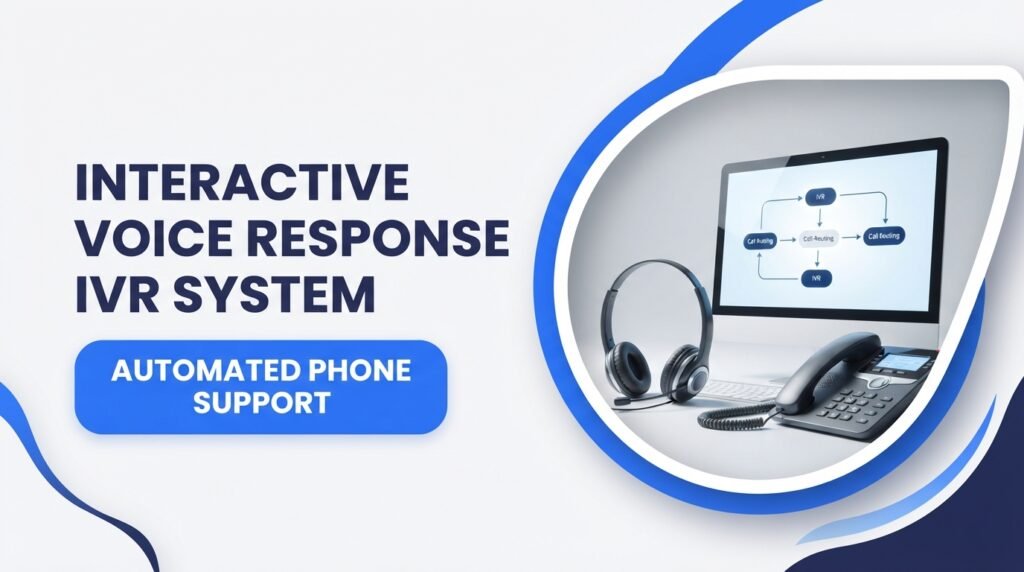
When you call a bank, hospital, airline, or online store, you may hear a recorded message asking you to press a number or say what you need. This automated phone service is called an interactive voice response (IVR) system.
An IVR system helps businesses manage incoming calls, answer common questions, collect information, and connect customers with the right department. It can also let callers complete simple tasks without waiting for a customer service representative.
But how does this technology work? What features does it offer, and why do businesses use it?
In this guide, we explain how an IVR phone system works, its main types, benefits, features, common uses, and possible challenges. We also share practical examples to help you see how businesses use this technology.
What Is an Interactive Voice Response (IVR) System?
An interactive voice response (IVR) system is an automated telephone technology that allows callers to communicate with a computer-based phone system using their voice or telephone keypad.
It plays recorded or computer-generated messages and asks callers to choose from different options. Based on their responses, the system can provide information, collect details, complete basic tasks, or transfer the call to the correct department.
For example, when you call a bank, you might hear:
- Press 1 for account information.
- Press 2 for credit card services.
- Press 3 for loan information.
- Press 4 to speak with a customer service representative.
The caller selects an option, and the IVR system takes the next action.
An automated phone system can work around the clock, depending on the services and settings provided by the business.
Example 1:
A customer calls a bank to check their account balance. The IVR system asks them to enter their account details and complete the required identity checks. It then provides the available balance through an automated message.
This example shows how a bank can use IVR to answer a common question without requiring a live employee to handle the entire call.
How Does an IVR System Work?
An IVR system connects telephone technology with computer software. It receives a call, plays instructions, collects the caller’s response, and decides what should happen next.
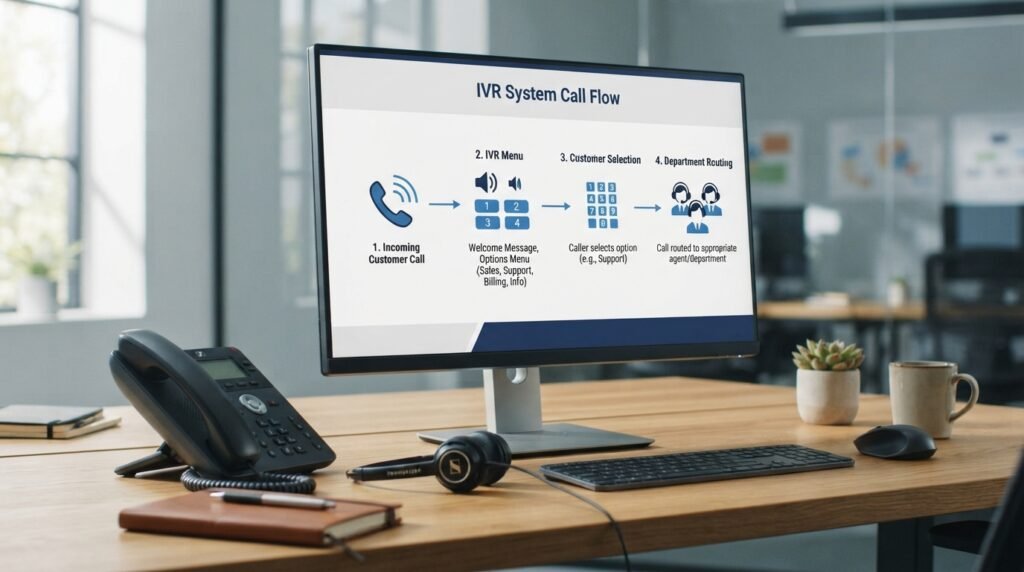
Here is the usual process:
1. A Customer Calls the Business
The process starts when someone calls a company’s customer service number.
The telephone system connects the incoming call to the IVR software. The system then plays a greeting or welcome message.
2. The IVR Plays a Menu
The caller hears a list of available options.
For example:
“Thank you for calling ABC Customer Support. Press 1 for sales, press 2 for billing, or press 3 for technical support.”
The menu helps callers choose the service they need.
3. The Caller Provides an Answer
The caller can respond in two main ways:
- Keypad input: Press a number on the telephone.
- Voice input: Speak a word, phrase, or request.
Traditional systems mainly use keypad selections, while advanced systems can recognize spoken requests.
4. The System Processes the Response
The IVR software checks the caller’s selection and follows its programmed instructions.
It may retrieve information from a connected database, ask another question, or select the correct call destination.
5. The System Provides an Answer or Transfers the Call
The IVR system can complete a simple request automatically.
If the caller needs personal assistance, it can transfer the call to an available employee or the correct support department.
Example 2:
A customer calls an internet service provider because their connection is not working. The IVR system asks them to select technical support. It then collects their account number and sends the call to a technical support representative.
This process helps the business send the customer to the right team instead of transferring the call between several departments.
Main Types of IVR Systems
Businesses can choose different types of interactive voice response technology based on their customer service needs.
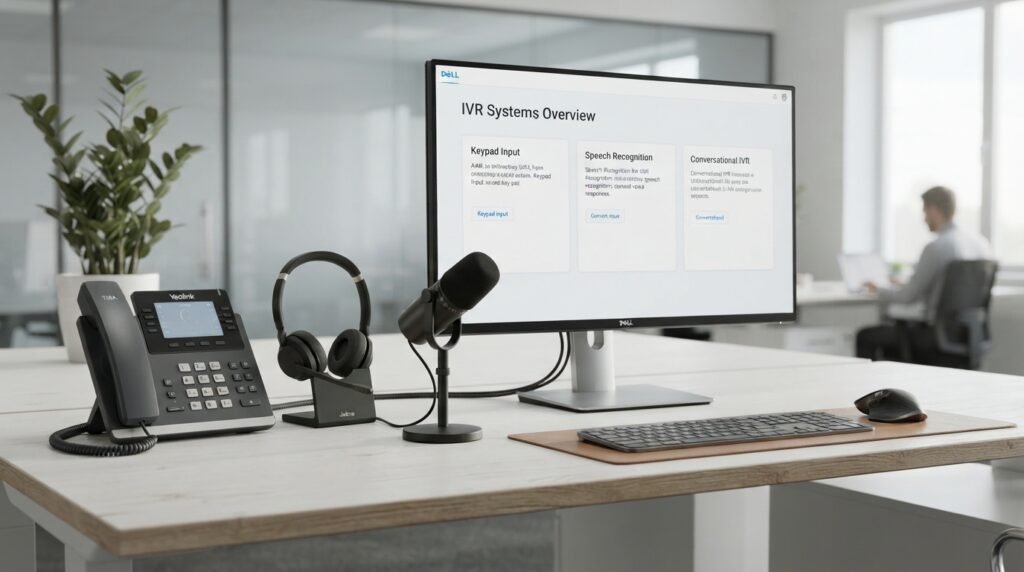
Here are the most common types.
1. Touch-Tone IVR System
A touch-tone IVR system allows callers to select options by pressing numbers on their telephone keypad.
It is one of the most common forms of automated phone service.
For example:
- Press 1 for English.
- Press 2 for Spanish.
- Press 3 for billing.
- Press 4 for customer support.
This type works well for businesses with simple menus and common customer requests.
Example 3:
A customer calls a retail store and presses 1 to check store hours or 2 to ask about an order.
The caller can get basic information without speaking to an employee.
2. Speech Recognition IVR
A speech recognition IVR system allows callers to speak instead of pressing numbers.
The software identifies spoken words and matches them with available options.
For example, the system may ask:
“How can we help you today?”
The caller might answer:
“I want to check my order.”
The system recognizes the request and follows the order-status process.
This type can make phone menus easier to use, especially when callers have several options.
3. Natural Language IVR
A natural language IVR system allows callers to explain their needs using normal sentences instead of choosing from a fixed list of commands.
It uses technologies such as speech recognition and natural language processing (NLP) to identify what the caller wants.
For example, a customer might say:
“I need to change the delivery address for my order.”
The system can identify the request and direct the caller to the correct service.
Its results depend on the quality of the software, available customer data, and system setup.
4. Conversational IVR
A conversational IVR system offers a more natural back-and-forth phone interaction.
Instead of presenting a long list of numbered choices, it asks questions and responds based on the caller’s answers.
For example:
- System: “What can I help you with?”
- Customer: “I want to make a payment.”
- System: “Is this payment for your credit card or personal loan?”
- Customer: “My credit card.”
- System: “I can help you with that.”
This type is useful for businesses that want callers to complete more tasks through automated conversations.
5. AI-Powered IVR
An AI-powered IVR system uses artificial intelligence to improve voice interactions and handle a wider range of customer requests.
Depending on its features, it may recognize customer intent, use account information, answer questions, and connect callers with the right support team.
Some systems can also work with AI voice agents that handle multi-step tasks.
However, AI features do not mean every request can be resolved automatically. Businesses should provide a clear way to reach a human representative.
Key Features of an IVR System
Modern IVR software can include several features that help businesses manage calls and improve customer service.
1. Automated Call Routing
Automated call routing sends incoming calls to the correct department or employee.
For example, billing questions can go to the billing team, while product issues can go to technical support.
2. Call Queuing
Call queuing places callers in a waiting line when all representatives are busy.
The system may provide estimated wait information, play useful messages, or offer a callback option if supported.
3. Speech Recognition
Speech recognition allows the system to identify spoken words and commands.
It helps callers interact with the phone system without relying only on keypad selections.
4. Text-to-Speech
Text-to-speech (TTS) converts written text into spoken audio.
Businesses can use it to provide automated announcements, account information, and service updates.
5. Customer Database Integration
An IVR system can connect with a customer relationship management (CRM) platform or another business database.
This allows the system to retrieve approved customer information and provide more relevant service.
6. Multilingual Support
Some IVR platforms support multiple languages.
For example, a caller may select English or Spanish before entering the main menu.
This can help businesses serve customers who prefer different languages.
7. Call Analytics and Reporting
IVR analytics help businesses review call activity and customer behavior.
Reports may include:
- Total incoming calls.
- Most selected menu options.
- Average waiting time.
- Call transfers.
- Calls abandoned before completion.
- Automated task completion rates.
Businesses can use these details to find problems and improve their phone menus.
8. Callback Options
Some IVR systems allow callers to request a callback instead of waiting on hold.
The system collects the required details and arranges a return call according to the business’s settings.
Benefits of an Interactive Voice Response System
An interactive voice response system offers several benefits to businesses that receive regular customer calls.
1. Reduces Customer Waiting Time
IVR can answer common questions and direct calls without requiring every caller to wait for an employee.
Customers may get the information they need through automated service.
2. Provides After-Hours Support
An IVR system can provide basic information outside normal business hours.
For example, a customer may call a store at night to check its opening hours or find information about an order.
Some tasks may remain unavailable until an employee is back at work.
3. Handles High Call Volumes
Businesses often receive many calls during busy periods.
An automated phone system can manage routine requests and organize incoming calls so employees can focus on more complex problems.
4. Improves Call Management
IVR directs customers to the right department based on their selections.
This can reduce unnecessary transfers and help employees receive calls related to their work.
5. Reduces Repetitive Work
Employees do not need to answer every basic question manually.
The system can provide common information, collect details, and complete selected tasks automatically.
6. Supports Business Growth
A well-planned IVR system can help businesses manage more incoming calls without requiring the same level of manual call handling for every request.
The actual savings depend on call volume, software costs, and how much work the system can handle.
Example 4:
An online clothing store receives hundreds of daily calls about order status. Its IVR system lets customers enter their order numbers and hear available delivery updates.
This allows customer service employees to spend more time helping people with damaged products, refunds, and other complex issues.
Common Uses of IVR Systems Across Different Industries
Many industries use IVR technology to manage phone communication and provide automated services.
1. Banking and Financial Services
Banks use IVR to help customers access selected account services.
Common uses include:
- Checking account balances.
- Reviewing recent transactions.
- Finding branch information.
- Receiving card-related assistance.
- Connecting with banking representatives.
Banks must use suitable security checks before sharing sensitive account information.
2. Healthcare and Hospitals
Hospitals and medical offices can use IVR to manage routine phone requests.
Common uses include:
- Appointment scheduling.
- Appointment reminders.
- Office hours and location information.
- Department selection.
- Prescription-related call routing.
Healthcare providers must protect patient information and follow applicable privacy and security rules.
3. Retail and E-Commerce
Online stores and retail companies use IVR to help customers with common shopping questions.
Examples include:
- Order tracking.
- Return information.
- Refund requests.
- Product support.
- Delivery updates.
4. Airlines and Travel Companies
Airlines and travel agencies may use IVR to provide travel-related information.
Customers may use automated phone menus to check flight updates, find booking information, or contact the correct department.
5. Telecommunications
Internet and mobile service providers use IVR to handle customer requests.
Examples include:
- Reporting internet problems.
- Checking service availability.
- Making payments.
- Reviewing account details.
- Requesting technical support.
6. Government Offices
Government offices can use automated phone systems to share public information and direct callers to the right departments.
For example, callers may select options for tax questions, public services, office hours, or application information.
IVR System vs. Traditional Phone System
An IVR system and a traditional phone system both help businesses receive calls, but they work differently.
| Feature | IVR System | Traditional Phone System |
|---|---|---|
| Call handling | Automated menus and routing | Often handled manually |
| Customer input | Voice or keypad | Usually direct conversation |
| Basic information | Can provide automated answers | Usually requires an employee |
| Call routing | Can follow programmed rules | Often depends on manual transfers |
| After-hours service | Can provide selected automated services | Depends on available staff |
| Customer self-service | Supported | Usually limited |
| Call reporting | Often includes analytics | Depends on the phone system |
A traditional phone system may be enough for a small office with a low number of daily calls.
An IVR system may be more useful for businesses that receive frequent calls or need automated customer services.
IVR System vs. AI Voice Agent
Both technologies can handle phone conversations, but their functions are different.
| Feature | Traditional IVR | AI Voice Agent |
|---|---|---|
| Interaction | Fixed menus and commands | More open conversations |
| Customer input | Keypad or limited speech | Natural spoken requests |
| Responses | Usually follows programmed rules | Can generate responses based on its AI model |
| Tasks | Basic information and routing | May complete more complex tasks |
| Flexibility | Depends on menu design | Depends on model and connected tools |
| Human transfer | Can route calls | Can transfer calls when needed |
A traditional IVR system is useful for simple and predictable phone requests.
An AI voice agent may be more suitable when customers need flexible conversations or multi-step help.
Some businesses combine both technologies to support different types of calls.
What Is a Cloud-Based IVR System?
A cloud-based IVR system is an automated phone service hosted on remote servers and managed through an internet-based platform.
Instead of maintaining all the required IVR hardware and software at the business location, companies use a cloud service provider.
Depending on the provider, businesses can manage phone menus, call routing, recordings, and reporting through an online dashboard.
Benefits of Cloud-Based IVR
- Remote management: Administrators can update settings online.
- Flexible capacity: Service capacity can often be adjusted as call volume changes.
- Less local equipment: Businesses may not need to maintain dedicated IVR servers.
- Software updates: The provider may handle platform maintenance and updates.
- Integration: Some platforms connect with CRM and customer support software.
Cloud IVR vs. On-Premises IVR
A cloud IVR system is hosted by a service provider, while an on-premises IVR system runs on equipment managed at the business location.
The right option depends on budget, technical staff, security needs, customization, and business requirements.
How Much Does an IVR System Cost?
The cost of an IVR phone system depends on the provider, features, call volume, and business requirements.
There is no single price that applies to every company.
Common pricing models include:
1. Monthly Subscription
Some providers charge a monthly fee for access to their IVR platform.
The price may depend on the number of users, phone numbers, or available features.
2. Per-Minute Pricing
Some services charge based on the number of minutes used for incoming or outgoing calls.
This model may suit businesses with changing call volumes.
3. Usage-Based Pricing
Some cloud platforms charge separately for phone numbers, call handling, speech recognition, recordings, or other services.
4. Custom Enterprise Pricing
Large businesses may need custom call flows, advanced integrations, security features, and dedicated support.
These services may require a custom pricing agreement.
Additional Costs to Consider
Before choosing an IVR provider, check for:
- Setup and installation fees.
- Phone number charges.
- Call usage fees.
- Integration costs.
- Recording and storage fees.
- Maintenance and support.
- Extra charges for advanced features.
Ask the provider for a complete price breakdown before signing a contract.
How to Choose the Right IVR System for Your Business
Choosing the right IVR software requires more than comparing prices.
You should check whether the system fits your call volume, customer needs, and daily business operations.
Here are some useful steps.
1. Identify Your Business Needs
Start by listing the main reasons customers call your business.
For example, a bank may need account information services, while an online store may need order tracking and return support.
Choose a system that supports your most common requests.
2. Check the Available Features
Look for features such as:
- Call routing.
- Speech recognition.
- Call recording.
- Multilingual support.
- Customer database integration.
- Call reporting.
- Callback options.
Avoid paying for features your business does not need.
3. Compare Cloud and On-Premises Options
Decide whether you want a cloud-hosted service or an IVR system managed on your own equipment.
Compare setup costs, maintenance, security, and future needs.
4. Check Software Integration
Your IVR system may need to work with existing business tools.
Check whether it supports your CRM, help desk, billing software, and customer database.
5. Test the Customer Experience
Test the phone menus before making the system available to customers.
Make sure the options are clear and callers can reach a human representative when needed.
6. Review Security and Privacy
Check how the provider protects customer information.
Ask about data storage, access controls, encryption, account verification, and compliance requirements.
7. Compare Customer Support
Choose a provider that offers suitable technical support.
Check its support hours, response process, service availability, and maintenance terms.
Example 5:
A small online store wants to automate order tracking and return requests. Before choosing an IVR provider, its owner compares monthly costs, CRM integration, call routing, and customer support features.
This helps the business choose a system based on its real needs instead of paying for unnecessary features.
Common IVR Problems and How to Fix Them
An IVR system can improve call handling, but a poorly managed phone menu can frustrate customers.
Here are some common problems and practical solutions.
1. Too Many Menu Options
Long menus make it difficult for callers to find the correct service.
Solution: Keep the main menu short and place related options together.
2. No Easy Way to Reach a Human
Some callers need personal assistance rather than automated answers.
Solution: Provide a clear option to speak with a representative or reach an appropriate support team.
3. Poor Voice Quality
Unclear recordings make it difficult for callers to follow instructions.
Solution: Use clear recordings, a suitable speaking speed, and professional audio quality.
4. Incorrect Call Routing
A poorly configured system may send customers to the wrong department.
Solution: Review call flows regularly and test every menu option.
5. Speech Recognition Errors
Background noise, accents, or unclear speech can cause recognition problems.
Solution: Use clear prompts, allow callers to repeat their answers, and provide keypad alternatives.
6. Outdated Information
Old announcements can give customers incorrect business hours or service details.
Solution: Update recorded messages whenever business information changes.
7. Customers Abandoning Calls
Callers may hang up when menus are too long or waiting times are excessive.
Solution: Make common tasks easy to reach, offer callback options when available, and review where callers leave the system.
Best Practices for Creating a Customer-Friendly IVR Menu
A good IVR menu should help customers complete their requests with as little effort as possible.
Follow these practices:
- Keep menus short: Avoid unnecessary choices.
- Use simple language: Give clear instructions without technical terms.
- Put common options first: Make popular services easy to find.
- Offer language choices: Support the languages your customers use.
- Provide human support: Give callers a clear way to reach an employee.
- Test the system: Check every menu and transfer option.
- Monitor call reports: Look for long wait times and abandoned calls.
- Protect customer data: Collect only the information needed for the service.
- Support accessibility: Provide alternatives for callers who have trouble hearing or speaking.
- Update the menus: Keep service details and announcements current.
Businesses should also review applicable privacy, accessibility, and call-recording rules. In the United States, recording consent requirements can vary by state and situation. Healthcare and payment-related services may have additional requirements for handling sensitive information.
Frequently Asked Questions About Interactive Voice Response IVR Systems
What does IVR stand for?
IVR stands for Interactive Voice Response. It is a telephone technology that allows callers to communicate with an automated phone system using spoken responses or keypad selections.
What is the main purpose of an IVR system?
The main purpose of an IVR system is to manage incoming calls, provide automated information, collect customer details, and route callers to the right department.
How does an IVR system work?
An IVR system receives a call, plays a recorded message, and asks the caller to respond by voice or keypad. It processes the response and provides information, completes an available task, or transfers the call to an employee.
Is an IVR system the same as a phone tree?
They are closely related, but they are not exactly the same. A basic phone tree uses fixed menu choices to direct callers. A modern IVR system may also use speech recognition, customer data, and automated self-service features.
Can an IVR system work without the internet?
Yes, some traditional on-premises IVR systems can work through telephone network infrastructure without relying on a public internet connection for every function. However, cloud-based IVR services generally require internet connectivity between the business and the hosted platform.
Can IVR systems understand human speech?
Yes. Systems with speech recognition can identify spoken words and commands. More advanced systems may use natural language processing to identify the purpose of a caller’s request.
Do small businesses need an IVR system?
Not every small business needs IVR. However, it can be useful for companies that receive frequent calls, manage several departments, or want to automate common customer requests.
Is an IVR system expensive?
The cost depends on the provider, call volume, features, and pricing model. Some services offer monthly subscriptions, while others charge based on usage or provide custom business plans.
What is the difference between IVR and ACD?
IVR interacts with callers, collects information, and may provide automated services. Automatic Call Distribution (ACD) distributes incoming calls to suitable employees or queues based on programmed rules.
These technologies often work together in contact centers.
Are IVR systems available 24/7?
An IVR system can provide automated services 24 hours a day, seven days a week, if the provider and business configuration support continuous operation. However, live representatives may only be available during business hours.
Conclusion
An interactive voice response (IVR) system helps businesses manage phone calls through automated menus, voice recognition, and call routing. It can answer common questions, collect customer details, and connect callers with the right department.
Banks, hospitals, online stores, airlines, and telecommunications companies use IVR technology to handle routine customer requests.
Before choosing an IVR phone system, compare its features, pricing, security, and integration options. Most importantly, keep the phone menus simple and give customers a clear way to reach a real person.
A well-managed IVR system can make phone support easier for both customers and employees.

Emily Carter (Content Writer & Communication Specialist) is a content writer and communication specialist at AllTypeInfo.com. She writes clear, practical, and easy-to-follow guides on email responses, message replies, writing templates, and everyday communication tips. Her goal is to help readers communicate with confidence in both personal and professional settings.