An interactive voice response system cost can range from a few dollars per month to thousands of dollars, depending on the features, call volume, and type of system a business needs.
A small business may need a simple phone menu that directs customers to the right department. A large company may need an advanced system that handles payments, checks customer accounts, records calls, and connects with its customer relationship management (CRM) software.
These different needs can lead to very different prices. This guide explains IVR system pricing, setup fees, monthly subscriptions, per-minute charges, and extra costs. It also includes practical budget examples to help you estimate what your business may pay in 2027.
What Is an Interactive Voice Response System?
An Interactive Voice Response (IVR) system is an automated phone system that answers incoming calls and interacts with callers using keypad selections or spoken responses.
It allows customers to get information or reach the right department without speaking to a receptionist every time.
For example, when someone calls a company, they may hear:
- Press 1 for Sales.
- Press 2 for Customer Support.
- Press 3 for Billing.
- Press 0 to speak with an employee.
The system uses these selections to send the caller to the correct destination.
Some advanced IVR systems also recognize spoken words, collect customer information, check account details, and accept payments.
The main purpose is to manage phone calls more efficiently and reduce the amount of work employees spend answering common questions.
Example 1:
A customer calls an internet service provider and hears an automated message. They press 2 for Technical Support, and the IVR system transfers their call to the support team.
This allows the customer to reach the correct department without asking a receptionist to transfer the call.
How Much Does an Interactive Voice Response System Cost in 2027?
The cost of an IVR system depends on its pricing model, features, number of users, and monthly call usage.
Here are general 2027 planning estimates for businesses in the United States.
| IVR System Type | Estimated Setup Cost | Estimated Monthly Cost |
|---|---|---|
| Basic cloud IVR | $0–$250 | $15–$50 per user |
| Advanced cloud IVR | $250–$1,000+ | $50–$150 per user |
| Usage-based IVR | $0–$500+ | Based on call usage |
| Managed IVR service | $120–$1,500+ | $10–$300+ plus usage |
| Custom enterprise IVR | $5,000–$50,000+ | $500–$4,000+ or more |
| On-premises IVR | $10,000–$50,000+ | Maintenance and operating costs |
These figures are budgeting estimates, not guaranteed vendor quotes. Some providers include IVR in their business phone plans, while others charge separately for calls, phone numbers, software, and setup.
A small company with basic call routing may spend much less than a large contact center with advanced automation.
Cost Example for Different Business Sizes
The following examples show how a business might budget for an IVR system.
| Business Type | Estimated Monthly Budget | Typical Requirements |
|---|---|---|
| Small business | $30–$150 | Basic greeting and call routing |
| Growing business | $150–$600 | Multiple menus and call reporting |
| Medium-sized company | $500–$2,000 | CRM integration and advanced routing |
| Large contact center | $2,000–$10,000+ | High call volume and advanced automation |
These are sample budgets rather than fixed market rates. Actual prices depend on employee licenses, call minutes, phone numbers, and service agreements.
Example 2:
A small repair company has five employees and receives 400 customer calls each month. It chooses a cloud IVR plan with a basic menu and call forwarding. Its monthly budget is $100, including its phone service and estimated usage.
This example shows why a small business can often start with a simple cloud-based solution instead of buying expensive equipment.
What Factors Affect IVR System Pricing?
Several factors affect the total cost of an interactive voice response system. Two businesses may use the same provider but receive very different quotes.
1. Number of Users and Agents
Some providers charge a monthly fee for each employee or contact center agent.
For example, a plan costing $30 per user each month would cost:
- 5 users: $150 per month.
- 10 users: $300 per month.
- 20 users: $600 per month.
The cost increases as more employees need access to the platform.
Some usage-based platforms do not charge per agent in the same way. Instead, they charge for phone calls, software features, and other services.
2. Monthly Call Volume
The number of incoming and outgoing calls can have a direct effect on your IVR bill.
Providers may charge based on:
- Incoming call minutes.
- Outgoing call minutes.
- Phone number rental.
- Call transfers.
- Speech recognition.
- Additional voice services.
For example, a company receiving 10,000 call minutes per month may pay more than a company receiving 1,000 minutes.
Some plans include a set number of minutes. Others charge for every minute used.
3. IVR Menu Complexity
A basic IVR menu is usually less expensive to create than a system with several menu levels and custom rules.
A simple system might offer three choices:
- Press 1 for Sales.
- Press 2 for Support.
- Press 3 for Billing.
An advanced system may ask callers to select a product, enter an account number, choose a service location, and confirm their request.
More menu options and call-routing rules can increase development and setup costs.
4. Advanced Features
Additional features may increase your monthly subscription or require separate charges.
Common examples include:
- Speech recognition: Allows callers to speak instead of pressing phone keys.
- Voice recognition: Identifies or verifies a caller using voice-based methods.
- Call recording: Stores conversations for review and training.
- CRM integration: Connects the IVR with customer records.
- Payment processing: Allows customers to make payments through an automated phone system.
- Call analytics: Shows call volume, wait times, and other performance data.
- Multilingual support: Offers menus in different languages.
Choose features based on actual business needs. Paying for tools that employees and customers rarely use can increase expenses without adding much value.
5. Third-Party Software Integration
Some businesses need their IVR system to communicate with other software.
For example, a bank may connect its IVR to a customer database so callers can check account information.
A company may also connect its phone system to:
- Salesforce.
- HubSpot.
- Customer support software.
- Billing platforms.
- Appointment scheduling systems.
- Business databases.
These connections may require API development, testing, and technical support.
The more custom work a business needs, the higher its initial setup cost may become.
Example 3:
A dental clinic connects its IVR system to its appointment software. When a patient calls, the system allows them to hear appointment options and connect with the scheduling team.
The clinic may need to pay an additional setup fee for the software connection, but it can reduce the time employees spend handling routine scheduling calls.
IVR System Setup and Installation Costs
The initial setup cost is separate from the monthly subscription in many IVR plans.
Some cloud providers offer self-service tools with no setup fee. Other providers charge for building the phone menu, recording greetings, configuring call routing, and testing the system.
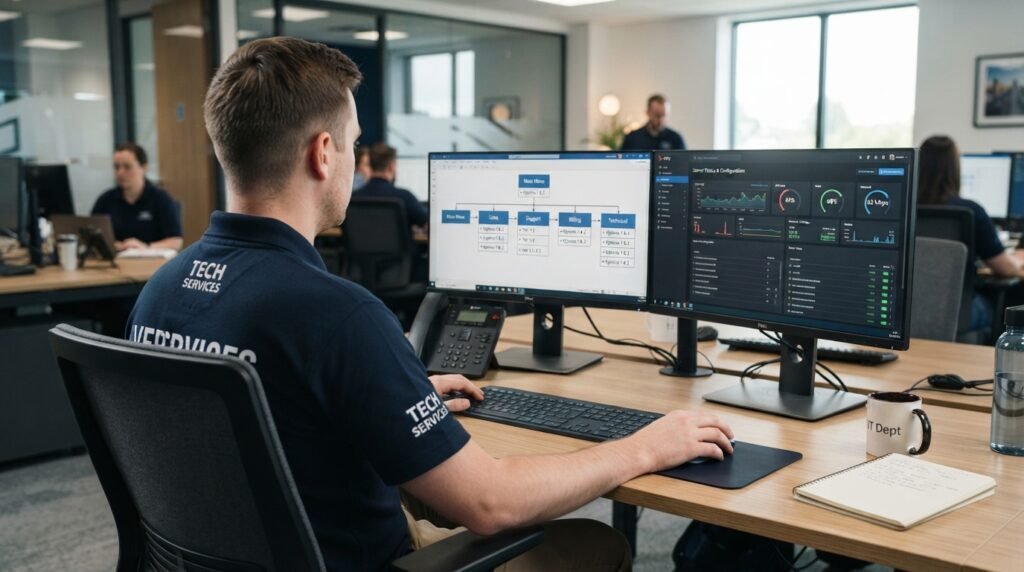
Here are common setup expenses.
| Setup Service | Estimated Cost |
|---|---|
| Basic account configuration | $0–$250 |
| Simple IVR menu setup | $100–$500 |
| Custom call flow development | $500–$2,000+ |
| Professional voice recording | $50–$500+ |
| CRM or software integration | $500–$5,000+ |
| Enterprise implementation | $5,000–$20,000+ |
These are general planning figures. A provider may combine several services into one implementation fee.
What Is Included in an IVR Setup Fee?
Depending on the provider, an installation package may include:
- Phone number configuration: Setting up the business phone number.
- Greeting recording: Adding the opening message callers hear.
- Menu creation: Building the available menu options.
- Call routing: Connecting each option to the right department.
- Testing: Checking that calls reach the correct destination.
- Staff training: Showing employees how to use the system.
Before paying a setup fee, ask for a written list of included services.
Example 4:
A local insurance agency pays a service provider $350 to configure a three-option IVR menu, record its greeting, and connect the menu to three employee departments.
The agency receives a working phone menu without buying its own server equipment.
Cloud-Based IVR vs. On-Premises IVR Cost
Businesses generally choose between cloud-based and on-premises IVR systems.
Both can manage incoming calls, but their costs and maintenance needs are different.
Cloud-Based IVR Pricing
A cloud-based IVR system runs through a provider’s online platform.
The provider manages the hosting infrastructure, while the business accesses the system through an online dashboard or connected phone service.
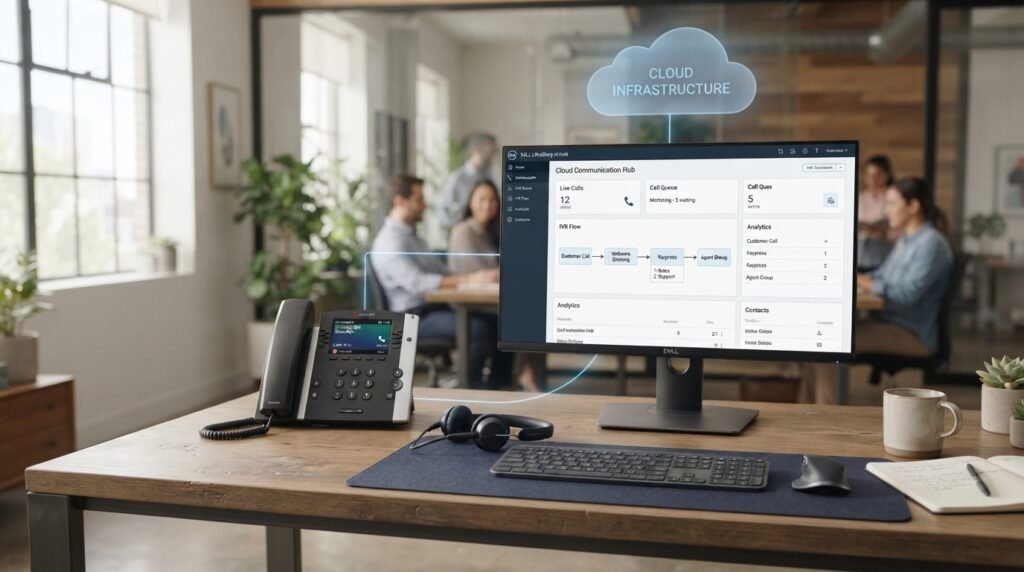
Typical cost areas include:
- Monthly software subscriptions.
- Phone numbers.
- Call minutes.
- Optional features.
- Setup and integration.
Estimated cost: $15–$150 per user per month for many cloud plans, although usage-based and enterprise services can follow different pricing models.
Advantages:
- Lower upfront investment.
- No need to purchase dedicated IVR servers.
- Easier remote access.
- Flexible subscription plans.
- Easier expansion as the business grows.
On-Premises IVR Pricing
An on-premises IVR system runs on equipment installed at the business location or within its own data center.
The company is responsible for purchasing and maintaining the required hardware and software.
Typical expenses include:
- Servers and networking equipment.
- Software licenses.
- Installation.
- Custom development.
- Security updates.
- Technical staff.
- Ongoing maintenance.
Estimated initial cost: $10,000–$50,000 or more, depending on the size and features of the system.
Advantages:
- More control over internal infrastructure.
- Greater control over system configuration.
- Options for custom connections with internal software.
- Direct management of hardware and data storage.
Which Option Is More Affordable?
For many small and medium-sized businesses, cloud IVR is the more affordable starting point because it avoids major hardware purchases.
On-premises IVR may suit large organizations that have specific infrastructure, security, or internal IT requirements.
| Comparison | Cloud IVR | On-Premises IVR |
|---|---|---|
| Initial investment | Usually low | Usually high |
| Hardware | Managed by provider | Purchased by business |
| Maintenance | Mostly provider-managed | Business-managed |
| Monthly charges | Subscription or usage | Maintenance and operating expenses |
| Customization | Depends on provider | Often more control |
| Best for | Small and medium businesses | Large organizations with specific needs |
IVR Pricing Models Explained
IVR providers use different billing methods. Knowing how each model works can help you avoid unexpected charges.
1. Per-User Pricing
The business pays a monthly fee for every employee or agent who uses the platform.
For example, a company with 10 users on a $25 monthly plan pays $250 each month.
This model is common in business phone and contact center platforms.
2. Per-Minute Pricing
The provider charges based on the number of minutes processed by the phone system.
For example, if a service charges $0.02 per minute and your business uses 5,000 minutes, the estimated usage charge is:
5,000 × $0.02 = $100
Other fees, such as phone number rental or platform access, may apply.
3. Monthly Subscription Pricing
The business pays a fixed monthly amount for access to the IVR platform.
Some subscriptions include a certain number of users, phone numbers, or call minutes.
Check the plan limits before purchasing. Extra usage may create additional charges.
4. Pay-As-You-Go Pricing
With a pay-as-you-go IVR system, the business pays for the services it uses.
Depending on the provider, charges may include:
- Call minutes.
- Phone numbers.
- Speech processing.
- Recording storage.
- Additional software features.
This option can work well for businesses with changing call volumes.
5. Custom Enterprise Pricing
Large organizations often need custom IVR solutions.
Providers may prepare a quote based on:
- Number of agents.
- Monthly call volume.
- Number of departments.
- Software connections.
- Security requirements.
- Support services.
- Contract length.
Ask the provider for a full breakdown instead of comparing only the advertised monthly price.
Popular IVR Providers and Their Pricing
Several providers offer IVR services through cloud phone systems, contact center platforms, or programmable voice tools.
Their pricing methods are different, so compare the complete service rather than looking at one price alone.
Amazon Connect
Amazon Connect offers cloud-based contact center services with usage-based pricing.
Its published pricing for the Connect Customer voice service lists a rate of $0.038 per voice minute, with standard telephony charges applying separately.
This model may suit businesses that want to build a contact center around usage-based billing.
Twilio
Twilio offers programmable voice services that developers can use to build custom IVR applications.
Its US voice pricing includes charges for incoming and outgoing calls, phone numbers, and optional services.
For example, published US local calling rates include $0.0085 per minute for incoming calls and $0.014 per minute for outgoing calls. Other call types and features may have different rates.
Twilio may suit businesses that have developers or technical support for building custom phone workflows.
Genesys Cloud CX
Genesys Cloud CX offers contact center software with voice routing, speech-enabled IVR, analytics, and other customer service features.
Its published Genesys Cloud CX 1 plan starts at $75 per user per month when billed annually.
This is a broader contact center package, not a standalone IVR price.
It may suit businesses that need IVR as part of a larger customer service platform.
ReceptionHQ
ReceptionHQ offers a standalone IVR option as well as IVR packages connected to live answering services.
Its published standalone offer lists:
- $10 per month.
- $0.20 per minute for calls.
- $120 setup fee.
- One to five menu options.
This type of service may suit small businesses that need a basic automated phone menu.
Example 5:
A small company compares a standalone IVR plan with a full contact center subscription. It chooses the standalone service because it only needs a greeting, three menu options, and call forwarding.
The company avoids paying for agent tools and other features it does not need.
Pricing note: Provider prices and plan features can change. Check the current quote, billing terms, and any additional usage charges before making a purchase.
Hidden IVR Costs Businesses Should Check
The advertised subscription is not always the full monthly bill.
Some providers charge separately for services that businesses may need after installation.
Check these expenses before signing an agreement.
1. Phone Number Rental
Some providers charge a monthly fee for local or toll-free phone numbers.
A business with multiple locations may need several numbers.
2. Call Transfer Charges
Some systems charge for transferring a caller to an external phone number.
This can increase expenses if many calls move between departments or outside phone lines.
3. Extra Call Minutes
A plan may include a limited number of minutes.
If the business exceeds that allowance, additional usage fees may apply.
4. Call Recording Storage
Recording customer conversations can require extra storage.
Ask how long recordings remain available and whether downloading or storing them creates extra charges.
5. Maintenance and Support
Some providers include standard support, while others charge for premium assistance.
Custom systems may also need regular software updates and technical maintenance.
6. Software Integration
Connecting IVR with CRM, billing, or scheduling software can require additional development.
Ask whether the provider charges a one-time integration fee or an ongoing service fee.
7. Contract and Cancellation Fees
Some enterprise providers require annual agreements or minimum user commitments.
Check whether you can cancel early, reduce the number of licenses, or change your plan.
How to Calculate Your Monthly IVR System Cost
You can estimate your monthly IVR expenses by adding the main service charges.

Use this basic formula:
Total Monthly IVR Cost =
Monthly subscription + Phone number charges + Call usage + Add-on features + Maintenance fees
Here is a sample calculation.
Suppose a small company uses an IVR service with the following expenses:
| Expense | Monthly Cost |
|---|---|
| IVR subscription | $50 |
| Phone number | $5 |
| 2,000 call minutes at $0.02 | $40 |
| Additional features | $15 |
| Total | $110 |
The estimated monthly IVR bill is $110.
This calculation does not include one-time setup fees, taxes, or any charges not listed in the sample.
Example 6:
A company expects to receive 3,000 call minutes each month. Its provider charges $0.015 per minute, plus a $40 monthly platform fee and $5 for its phone number.
Its estimated monthly cost is:
- Call usage: 3,000 × $0.015 = $45.
- Platform subscription: $40.
- Phone number: $5.
- Total: $90 per month.
This method helps a business estimate its expenses before choosing a provider.
How to Reduce IVR System Costs
Businesses can control their IVR expenses by choosing a plan that matches their actual needs.
Here are practical ways to reduce costs.
Choose a Basic Plan First
Start with a simple phone menu if your business only needs basic call routing.
You can add advanced features later when there is a clear need.
Compare Complete Pricing
Do not compare providers using only their monthly subscription prices.
Check phone numbers, call minutes, setup, integrations, and support fees.
Keep Menu Options Simple
A long phone menu can increase setup work and frustrate callers.
Use clear options that help customers reach the correct department quickly.
Use Existing Business Phone Features
Check your current business phone plan before purchasing a separate IVR service.
Your provider may already include an auto-attendant or basic IVR feature.
Avoid Unused Features
Do not pay for advanced analytics, voice recognition, or extra integrations unless your business needs them.
Review Call Reports
Check monthly reports to find unnecessary transfers, repeated calls, and unused phone numbers.
These reports can help you adjust your phone menu and reduce avoidable charges.
How to Choose the Right IVR System for Your Budget
The best IVR service is one that meets your business needs without adding unnecessary costs.
Before selecting a provider, consider these points.
1. Set a Monthly Budget
Decide how much your business can spend each month.
Include both subscription fees and expected call usage.
2. Estimate Your Call Volume
Check how many calls your business receives and how long those calls usually last.
This will help you compare per-user and per-minute pricing.
3. List the Features You Need
Write down the features your business actually requires.
For example, a small business may need:
- Custom greetings.
- Three or four menu options.
- Call forwarding.
- Business hours settings.
- Basic call reports.
A large contact center may need speech recognition, CRM integration, call recording, and advanced routing.
4. Check Software Compatibility
If you already use CRM or customer service software, confirm that the IVR provider supports it.
Ask whether the connection is included or requires additional development.
5. Ask for a Full Quote
Request a written price breakdown that includes:
- Initial setup.
- Monthly subscription.
- Per-minute charges.
- Phone numbers.
- Extra features.
- Integration fees.
- Customer support.
- Contract and cancellation terms.
6. Test the System Before Committing
Ask whether the provider offers a free trial or product demonstration.
Test the phone menus, call transfers, greeting quality, and customer experience.
A short test can help you avoid paying for a service that does not meet your needs.
Frequently Asked Questions About Interactive Voice Response System Cost
How much does an IVR system cost for a small business?
A small business may budget around $30–$150 per month for a basic cloud IVR service, depending on the number of users and call usage. Some providers charge setup fees or additional calling charges.
Is there a free IVR system?
Some providers offer free trials, open-source software, or basic IVR features as part of an existing phone plan. However, phone numbers, call minutes, hosting, and setup may still create costs.
How much does IVR installation cost?
Basic cloud IVR configuration may cost $0–$250, while custom setup and integrations can cost hundreds or thousands of dollars. The final price depends on menu design and technical requirements.
Is cloud-based IVR cheaper than on-premises IVR?
Cloud IVR is usually cheaper to start because it does not require the business to buy dedicated servers. On-premises systems can have higher upfront expenses due to hardware, software licenses, and maintenance.
Do IVR providers charge per minute?
Some providers charge for each minute of incoming or outgoing calls. Others include a set number of minutes in their subscription. Check the billing rules before selecting a plan.
What is the difference between IVR and an auto-attendant?
An auto-attendant mainly answers calls and directs callers to departments or employees. An IVR system can also handle interactive tasks such as collecting information, checking account details, and processing certain customer requests.
Does IVR require special hardware?
Most cloud-based IVR services do not require dedicated IVR hardware. Businesses generally need compatible phones, an internet connection, and access to the provider’s platform.
On-premises systems may require servers, network equipment, and other hardware.
Is IVR worth the cost for a small business?
IVR can be worth the expense if a business receives enough calls to benefit from automated routing. It may reduce routine phone work and help customers reach the correct department faster.
However, a business with very few calls may be better off using a basic business phone plan.
What is the cheapest way to get an IVR system?
One affordable option is to use an IVR feature already included in your business phone subscription. Another option is a basic cloud IVR service with a low monthly fee and usage-based billing.
Compare the full monthly cost before choosing.
Conclusion
The interactive voice response system cost depends on the type of service, number of users, call volume, setup requirements, and features.
A small business may be able to start with a basic cloud IVR plan for a modest monthly fee. Larger companies may need advanced contact center software or a custom system with a much higher budget.
Before choosing a provider, calculate your expected call usage, check setup fees, and compare the full monthly price.
My recommendation: Start with a simple cloud-based IVR system if your business mainly needs automated greetings and call routing. Choose a more advanced platform only when your call volume and business needs justify the extra expense.

Emily Carter (Content Writer & Communication Specialist) is a content writer and communication specialist at AllTypeInfo.com. She writes clear, practical, and easy-to-follow guides on email responses, message replies, writing templates, and everyday communication tips. Her goal is to help readers communicate with confidence in both personal and professional settings.