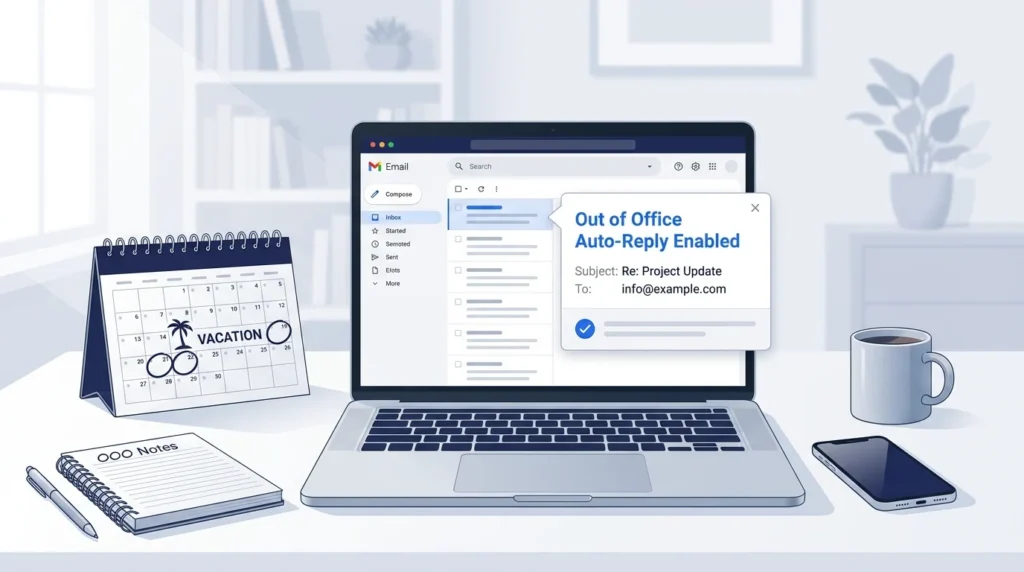
Have you ever left work for a vacation, sick day, or business trip and worried about unanswered emails? An out-of-office auto-reply can help you avoid that problem. It tells people you are away, when you expect to return, and who they can contact if they need help before you get back.
The best out-of-office auto-reply examples are short, polite, and clear. You do not need to explain every detail of your absence. A simple message with your return date, email availability, and an alternate contact is often enough. Below, you will find copy-ready templates for work, vacations, holidays, personal leave, and many other situations.
Key Takeaways
- State when you expect to return.
- Explain whether you will check emails.
- Give an alternate contact for urgent matters.
- Keep personal details private.
- Match your tone to your audience.
- Set an end date for your automatic reply.
- Review your message before activating it.
What Is an Out-of-Office Auto-Reply?
An out-of-office auto-reply is an automatic email sent to people who contact you while you are unavailable. It lets senders know that you may not respond right away.
People often use these messages during:
- Vacations and personal leave.
- Sick days and medical leave.
- Business trips and conferences.
- Weekends and public holidays.
- Maternity, paternity, or parental leave.
- Company-wide closures.
- Training sessions and extended meetings.
An auto-reply helps set clear expectations. It also gives senders another way to get help if their request cannot wait.
What Should an Out-of-Office Message Include?
A useful out-of-office message usually answers four questions. A clear and helpful auto-reply follows the same basic principles as other professional messages. Learn how to write clear and professional email replies that give readers the right information and set clear expectations.
- When are you away? Include your absence dates or expected return date.
- Will you check email? State whether you will be available.
- Who can help? Name a colleague for urgent requests.
- When will you reply? Explain what happens after you return.
You do not need to include every detail in every message. A short reply can work well for a day off, while a longer leave may need clearer instructions.
Simple Out-of-Office Message Formula
Use this basic structure to write your own message:
- Thank the sender for their email.
- State that you are away.
- Give your expected return date.
- Share an alternate contact if needed.
- Explain when you will reply.
Example:
Thank you for your email. I am out of the office until [return date] and will reply when I return. For urgent matters, please contact [contact name] at [email address].
Best regards, [Your name]
20 Out-of-Office Auto-Reply Examples
The following templates cover common work situations. Replace the details in brackets before using them.
1. Professional Out-of-Office Auto-Reply
Use this message for clients, coworkers, business partners, and other professional contacts.
Subject: Out of Office Until [Return Date]
Hello,
Thank you for your email. I am currently out of the office and will return on [return date].
For urgent matters, please contact [contact name] at [email address]. I will respond to your message as soon as possible after my return.
Best regards, [Your name]
2. Short Out-of-Office Auto-Reply
Choose this version when you want to keep your message brief.
Thank you for your email. I am out of the office until [return date]. I will reply when I return.
Best, [Your name]
3. Friendly Out-of-Office Message
This option works well for teams and contacts who prefer a warm, relaxed tone.
Hi there,
Thanks for reaching out! I am away from work until [return date] and will reply when I am back.
If you need help before then, please contact [contact name] at [email address].
Have a great day!
[Your name]
4. Vacation Auto-Reply
Use this message for a planned vacation or personal break.
Subject: Vacation Auto-Reply
Hello,
Thank you for your message. I am on vacation from [start date] through [end date] and will return on [return date].
I will not be checking emails during this time. For urgent requests, please contact [contact name] at [email address].
I will respond to other messages after I return.
Best regards, [Your name]
5. Out-of-Office Message for a Sick Day
You can keep the reason brief without sharing private health details.
Hello,
Thank you for your email. I am away from work today and may not be able to respond.
For urgent matters, please contact [contact name] at [email address]. I will reply when I am able to return.
Thank you for your patience.
[Your name]
6. Medical Leave Auto-Reply
Use this template for a longer absence when you do not have a confirmed return date.
Thank you for your email. I am currently on leave and unavailable by email. My return date has not yet been confirmed.
For assistance during my absence, please contact [contact name] at [email address].
Thank you for your patience.
[Your name]
7. Maternity or Parental Leave Auto-Reply
This message helps coworkers and clients find the right person while you are away.
Subject: Out of Office on Parental Leave
Hello,
Thank you for your message. I am currently on parental leave and expect to return on [return date].
During my absence, please contact [contact name] at [email address] for assistance with my work.
I will respond to messages after I return.
Best regards, [Your name]
8. Business Trip Auto-Reply
Use this when you are traveling for work but may have limited access to email.
Hello,
Thank you for reaching out. I am traveling for business from [start date] to [end date] and may have limited access to email.
For urgent requests, please contact [contact name] at [email address]. I will respond as my schedule allows.
Best regards, [Your name]
9. Conference or Training Auto-Reply
This template works for conferences, workshops, and training sessions.
Thank you for your email. I am attending a professional event from [start date] through [end date] and may be slow to respond.
For urgent matters, please contact [contact name] at [email address]. I will follow up after the event.
Best, [Your name]
10. Public Holiday Auto-Reply
Use this message when you are away for a public holiday.
Hello,
Thank you for your email. Our office is closed for [holiday] and will reopen on [reopening date].
I will respond when regular business hours resume. For urgent matters, please contact [contact name] at [email address], if available.
Best regards, [Your name]
11. Christmas and New Year Auto-Reply
This option works for seasonal office closures.
Subject: Holiday Office Closure
Hello,
Thank you for your message. I am away for the holiday season from [start date] through [end date] and will return on [return date].
I will reply after the holiday break. For urgent business matters, please contact [contact name] at [email address].
Wishing you a happy holiday season!
[Your name]
12. Weekend Auto-Reply
Use this message if your business sends automatic replies outside normal working hours.
Thank you for your email. I am currently away for the weekend and will respond during regular business hours on [next working day].
For urgent assistance, please contact [team email or contact name], if available.
Best, [Your name]
13. Out-of-Office Message With Limited Email Access
Use this when you plan to check your inbox occasionally.
Hello,
Thank you for your message. I am out of the office until [return date] and will have limited access to email.
Responses may take longer than usual. For urgent matters, please contact [contact name] at [email address].
Best regards, [Your name]
14. Fully Offline Auto-Reply
Choose this message if you will not check email at all.
Thank you for your email. I am away from work until [return date] and will not be checking email during this time.
Please contact [contact name] at [email address] if you need immediate assistance. I will review other messages after I return.
Best regards, [Your name]
15. Out-of-Office Message for Clients
Client-facing messages should explain who can help and how current work will be handled.
Hello,
Thank you for contacting me. I am out of the office until [return date].
For questions about your project or account, please contact [contact name] at [email address]. They can assist with urgent requests during my absence.
I will follow up on other matters after I return.
Best regards, [Your name]
16. Out-of-Office Auto-Reply for Managers
Use this template when team members may need help with work decisions.
Hello,
Thank you for your email. I am away until [return date] and will not be available for regular work requests.
For team-related questions, please contact [manager or team lead] at [email address]. For other matters, I will respond after I return.
Best, [Your name]
17. Job Interview or Recruitment Auto-Reply
This version is useful for recruiters, hiring managers, and applicants who need a clear response timeline.
Hello,
Thank you for your email. I am currently out of the office and expect to return on [return date].
For urgent hiring questions, please contact [contact name] at [email address]. I will review other messages after my return.
Best regards, [Your name]
18. Funny Out-of-Office Auto-Reply
A little humor can work with close coworkers or familiar contacts. Avoid jokes that could confuse clients.
Hello,
Thanks for your email! I am away from my desk until [return date], giving my inbox a short break from me.
I will catch up on your message when I return. For anything urgent, please contact [contact name] at [email address].
See you soon!
[Your name]
19. Out-of-Office Message Without Sharing Personal Details
You do not need to tell people why you are unavailable.
Hello,
Thank you for your email. I am currently unavailable and expect to return on [return date].
For urgent assistance, please contact [contact name] at [email address]. I will respond to other messages after my return.
Best regards, [Your name]
20. Out-of-Office Message With No Confirmed Return Date
Use this when your absence may last longer than expected.
Hello,
Thank you for your email. I am currently away from work and do not yet have a confirmed return date.
For assistance, please contact [contact name] at [email address]. I will respond to messages when I am available again.
Thank you for your patience.
[Your name]
How to Write an Out-of-Office Message for Your Situation
The right message depends on how long you will be away, who will receive it, and whether someone else can handle urgent requests.
Choose the Right Tone
| Situation | Recommended tone | What to include |
|---|---|---|
| Vacation | Friendly and professional | Return date and backup contact |
| Sick day | Brief and private | Availability and next steps |
| Client work | Professional | Contact for urgent requests |
| Close coworkers | Casual | Return date and a friendly greeting |
| Long-term leave | Clear and helpful | Coverage details |
| Holiday closure | Warm and informative | Office reopening date |
Write a Clear Subject Line
A useful subject line tells people what to expect before they open the message.
Examples include:
- Out of Office Until [Date]
- Away From Email Until [Date]
- Automatic Reply: Vacation Leave
- Limited Email Access Until [Date]
- Office Closed for [Holiday]
- Out of Office: Contact [Name] for Help
- On Leave Until [Date]
Quick tip: Add your return date when you know it. This helps senders decide whether to wait or contact someone else.
Common Out-of-Office Auto-Reply Mistakes
A poorly written auto-reply can leave senders unsure about what to do next. Avoid these common problems.
1. Leaving Out Your Return Date
A message that says you are away gives little help if the sender does not know when you will return.
Better approach: State a clear date or say that your return date is not yet confirmed.
2. Giving No Alternate Contact
Urgent requests may sit unanswered if senders have no other person to contact.
Better approach: Provide a colleague’s name and work email when someone is covering for you.
3. Sharing Too Much Personal Information
You do not need to explain your medical condition, family situation, travel plans, or other private details.
Better approach: Keep the reason for your absence brief or leave it out entirely.
4. Promising a Reply You Cannot Give
Do not say you will check email daily if you plan to stay offline.
Better approach: State your actual availability and when you expect to reply.
5. Forgetting to Turn Off the Auto-Reply
An old message can confuse clients and coworkers after you return.
Better approach: Set an end date or check the setting on your first day back.
6. Listing Someone Without Asking Them First
A colleague may be unable to handle your requests if they do not know they are covering for you.
Better approach: Confirm their availability and share any needed work details before you leave.
How to Set Up an Out-of-Office Auto-Reply
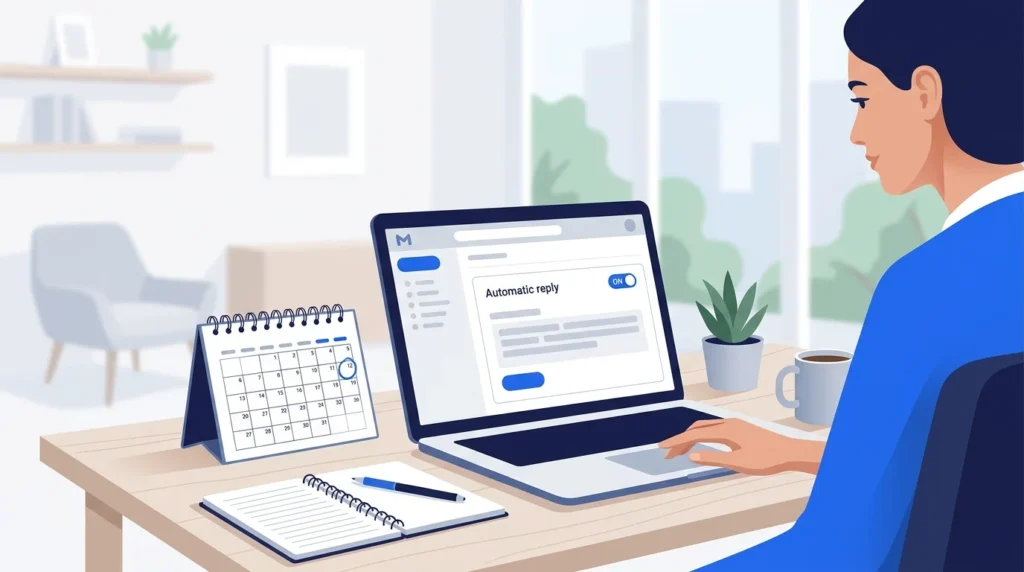
You can usually activate an automatic reply through your email account’s settings. The exact steps depend on your email service and account type.
Set Up an Auto-Reply in Gmail

For a Gmail account, follow these general steps:
- Open Gmail on your computer.
- Open Settings and select See all settings.
- Find the Vacation responder section.
- Turn on the vacation responder.
- Enter your start date and end date.
- Add a subject and your message.
- Save your changes.
Check the dates and message before leaving. If you use a work or school account, some settings may depend on your organization’s email policies.
Set Up an Auto-Reply in Microsoft Outlook

For Outlook accounts that support automatic replies, the general process is:
- Open Outlook and go to Settings.
- Find Automatic replies or the equivalent option.
- Turn on automatic replies.
- Set the start and end times if available.
- Write your out-of-office message.
- Choose the appropriate reply options for people inside and outside your organization.
- Save the settings.
The steps can vary between Outlook on the web, the desktop app, and different account types. Some accounts may use a different method.
Quick Checklist Before Activating Your Auto-Reply
Use this checklist before you leave work.
- Add your expected return date.
- Confirm your email access.
- Add an alternate contact if needed.
- Check that the contact agreed to help.
- Remove private information.
- Set the correct start and end dates.
- Review spelling and grammar.
- Test the message if possible.
- Turn off the reply when it is no longer needed.
Frequently Asked Questions
1. What is a good out-of-office auto-reply?
A good auto-reply states that you are away, gives your return date, and explains how to get help with urgent requests. Keep it brief and professional.
2. How long should an out-of-office message be?
Two to four short sentences are often enough. Longer absences may need extra details about work coverage or alternate contacts.
3. Should I explain why I am out of the office?
No. You can share a brief reason if you wish, but it is not required. Protect your privacy by giving only the details people need.
4. Should I include my phone number in an auto-reply?
Include a phone number only if it is appropriate for your role and intended audience. A work email address for your alternate contact may be enough.
5. Can I use a funny out-of-office message?
Yes, if humor fits your workplace and audience. For clients, customers, and formal business contacts, a friendly professional message is usually safer.
6. Should I set different replies for coworkers and external contacts?
If your email service supports separate messages, this can be useful. Give coworkers relevant team details and provide clients with an appropriate contact for their requests.
7. What if I do not know when I will return?
Say that your return date is not confirmed. Include an alternate contact if one is available, and avoid promising a date you cannot guarantee.
8. Should I send an out-of-office reply on weekends?
It depends on your job and normal response hours. If people expect replies outside regular business hours, a short message with your next working day can help set expectations.
Conclusion
The best out-of-office auto-reply examples make it easy for people to know when you will return, whether you can read email, and who can help in your absence. Choose a template that fits your situation, replace the sample details, and check your dates before activating the reply.
A short, honest message is often all you need. It keeps communication clear, protects your personal time, and helps coworkers and clients know what to do next.

Emily Carter (Content Writer & Communication Specialist) is a content writer and communication specialist at AllTypeInfo.com. She writes clear, practical, and easy-to-follow guides on email responses, message replies, writing templates, and everyday communication tips. Her goal is to help readers communicate with confidence in both personal and professional settings.