
A canned response is a pre-written message that you save and reuse when the same question or situation comes up again. Instead of typing the same email, chat message, or customer service reply from scratch, you can insert a saved response and change the details to fit the person you are helping. For example, a business might save a reply for shipping questions, refund requests, appointment confirmations, or password problems.
Canned responses are common in customer service, email communication, sales, and technical support. They help people reply faster and keep messages consistent. However, a saved reply should still sound natural and address the person’s actual question. In this guide, you will learn what canned responses mean, see practical examples, compare them with automatic replies, and find out how to create useful templates.
Key Takeaways
- A canned response is a pre-written, reusable message.
- It saves time on common questions and requests.
- You can use canned responses in email, chat, and support tickets.
- Saved replies help teams maintain a consistent tone.
- Personalizing each reply makes communication feel more human.
- Automatic replies differ from messages selected by a person.
- Review templates regularly to keep information accurate.
What Is a Canned Response?
A canned response is a message written in advance and saved for repeated use. It can be a complete email, a short chat reply, or a small section of text that answers a common question.
For example, a customer might ask, “What is your return policy?” Instead of writing a new answer every time, a support agent can insert a saved reply explaining the return period and the steps to request a return.
The agent can then add the customer’s name, mention the item, and include any details specific to that request.
The word canned means prepared in advance. In communication, it refers to a message that is ready to use when a familiar situation occurs.
A Simple Canned Response Example
Suppose a customer emails a store to ask whether their order has shipped.
A saved reply might look like this:
Hi [Customer Name],
Thanks for contacting us about your order. Please share your order number so we can check the latest shipping details.
Best regards, [Support Team]
The support agent replaces the placeholders with the correct information before sending the message.
This approach avoids repeated typing while allowing the agent to answer the customer’s actual question.
What Are Canned Responses Used For?
Canned responses work best when people ask similar questions or need the same basic information. They can be used by individuals, small businesses, customer support teams, and large organizations.
Common uses include:
1. Customer Service
Support teams often receive repeated questions about orders, refunds, payments, and product features.
Saved replies help agents answer these questions with clear, consistent information.
Examples include:
- Order tracking instructions
- Refund policy explanations
- Product availability updates
- Return and exchange steps
- Responses to common complaints
2. Email Communication
People often send similar emails throughout the workday. Canned responses can help with routine messages that need little change.
Examples include:
- Meeting confirmations
- Requests for missing information
- Follow-up messages
- Interview scheduling
- Receipt confirmations
3. Live Chat and Messaging
Live chat agents often need to answer questions while customers wait. Saved replies make it easier to provide quick answers without typing every word.
Examples include:
- Greeting a new customer
- Asking for an account number
- Explaining a common feature
- Sharing troubleshooting steps
- Confirming that an issue has been reported
4. Technical Support
Technical support teams can save instructions for common problems.
For example, a team might use a saved reply that explains how to clear a browser’s cache or reset a password. The agent should check whether those steps fit the customer’s situation before sending the message.
5. Sales and Business Communication
Sales teams can use saved messages to answer routine questions and follow up with potential customers.
Examples include:
- Sending product information
- Confirming a scheduled call
- Sharing a quotation
- Asking about a customer’s needs
- Following up after a meeting
A saved message should provide useful information rather than pressure the recipient into making a decision.
Canned Response Examples You Can Copy
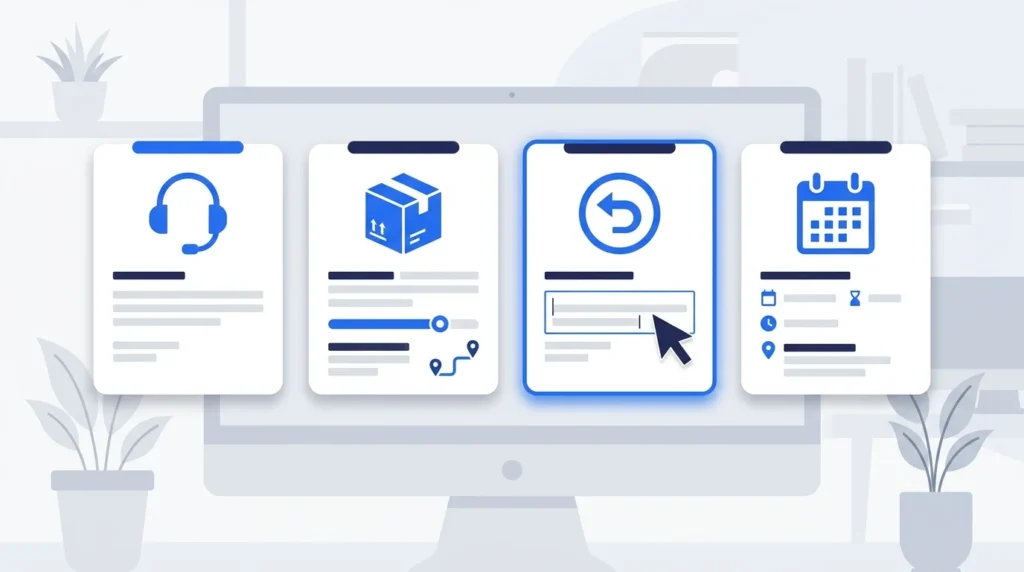
The following canned response examples cover common email and customer service situations. Replace the bracketed text with accurate details before sending each message.
1. General Email Acknowledgment
Use this reply when someone sends a message that needs a response later.
Hi [Name],
Thanks for reaching out. I have received your message and will review the details. I will get back to you by [Date or Time].
Best, [Your Name]
2. Customer Support Greeting
Use this message when a customer starts a support conversation.
Hi [Customer Name],
Thanks for contacting [Company Name]. I am happy to help with your question about [Topic]. Could you share a few more details so I can assist you?
Best regards, [Support Agent]
3. Request for More Information
Use this reply when you need extra details to investigate a problem.
Hi [Name],
I can help you with this. Please send [Required Information], along with any relevant screenshots or error messages. This will help me check the issue.
Thank you, [Your Name]
4. Shipping Status Request
Use this response when a customer asks about an order.
Hi [Customer Name],
Thanks for contacting us. Please provide your order number so we can check its shipping status and share the latest available information.
Best regards, [Support Team]
5. Refund Request Received
Use this message to confirm that a refund request has arrived. It does not promise approval.
Hi [Customer Name],
We have received your refund request for [Order Number]. Our team will review it against our refund policy and let you know the next steps.
Thank you for your patience, [Company Name]
6. Technical Issue Acknowledgment
Use this reply when a customer reports a technical problem.
Hi [Customer Name],
Thanks for reporting this issue with [Product or Feature]. We are reviewing the details. Please share [Relevant Details] if you have not already sent them.
We will update you by [Date or Time].
Best regards, [Support Team]
7. Delayed Response
Use this message when you cannot provide a full answer yet.
Hi [Name],
Thank you for your patience. We are still reviewing [Issue or Request] and need more time to check the details. I will send you an update by [Date or Time].
Best, [Your Name]
8. Meeting Confirmation
Use this reply to confirm a scheduled meeting.
Hi [Name],
Your meeting is confirmed for [Date] at [Time] [Time Zone]. We will meet using [Meeting Link or Location].
Please let me know if you need to make any changes.
Best regards, [Your Name]
9. Follow-Up Email
Use this message when you need to follow up on an earlier conversation.
Hi [Name],
I am following up on my previous message about [Topic]. Have you had a chance to review it?
Please let me know if you need any additional information.
Best, [Your Name]
10. Closing a Support Ticket
Use this reply when the issue has been resolved and the case can be closed.
Hi [Customer Name],
We have completed the requested work on [Issue]. Please let us know if you still need help with this matter.
Thank you for contacting [Company Name].
Best regards, [Support Team]
Only use this template when the work is actually complete.
What Are the Benefits of Canned Responses?
Canned responses offer several practical benefits for people who handle repeated messages. Their value depends on how well the templates fit the situation.
Save Time
Writing the same answer from scratch can take up a large part of the workday. A saved reply lets you reuse the main message and focus on the details that change.
Keep Messages Consistent
A shared set of templates helps team members give the same basic information about company policies, processes, and services.
This is useful when several agents answer questions about the same products or services.
Reduce Repeated Work
Agents can spend less time typing routine answers and more time solving problems that need individual attention.
Improve Message Quality
Well-written templates help teams avoid unclear wording and missing information. They also make it easier to keep standard instructions consistent.
Support Faster Replies
A ready-made response can help a team acknowledge a message quickly. However, the time needed to solve the customer’s problem still depends on the issue.
What Are the Disadvantages of Canned Responses?
Canned responses can cause problems when people use them without checking the situation.
They Can Sound Impersonal
A generic reply may make a customer feel that nobody has read their message.
Solution: Mention the person’s actual question or problem in the opening sentence.
They May Contain Outdated Information
A saved reply might include an old price, an expired offer, or a policy that has changed.
Solution: Review templates regularly and update details when company rules change.
They May Not Fit Every Situation
A response written for a simple shipping question may not help a customer dealing with a lost package or a billing dispute.
Solution: Select a template that fits the issue, then add the information the customer needs.
They Can Create False Expectations
A template might promise a refund or a resolution date that has not been confirmed.
Solution: Check every claim and promise before sending the reply.
What Is the Difference Between a Canned Response and an Auto-Reply?
A canned response and an auto-reply both use prepared messages, but they differ in how they are sent.
A canned response is usually selected by a person, who can review and edit it before sending. An auto-reply is sent automatically when a set condition occurs, such as receiving an email or being unavailable.
| Feature | Canned Response | Auto-Reply |
|---|---|---|
| Who sends it? | Usually a person | A system |
| How is it triggered? | A person selects it | A set rule or event |
| Can it be edited first? | Usually yes | Not for each message in advance |
| Main purpose | Answer common questions | Confirm receipt or share a basic notice |
| Example | Replying to a refund question | Confirming that an email arrived |
Example of a Canned Response
A support agent selects a saved message about password resets, checks the customer’s problem, and sends the reply.
Example of an Auto-Reply
A customer emails a support address after business hours and receives an automatic message:
Thanks for contacting [Company Name]. Our support team is currently offline. We will review your message during our next business day.
The automatic message confirms receipt. It does not mean that a person has reviewed the customer’s issue.
What Is the Difference Between a Canned Response, a Macro, and a Saved Reply?
These terms are related, but their meanings can vary between software tools.
| Term | Meaning | Example |
|---|---|---|
| Canned response | A reusable message | A saved answer about returns |
| Saved reply | Another common name for reusable text | A stored email response |
| Quick reply | A message inserted with a few clicks | A short live chat greeting |
| Macro | A saved action or set of actions, sometimes including a reply | Add a tag, assign a ticket, and insert a message |
| Email template | A reusable email structure | A meeting confirmation email |
| Auto-reply | A message sent automatically by a system | An out-of-office notice |
The main difference is that a basic canned response contains reusable text, while a macro may also change ticket settings or perform other actions. Software companies do not always use these terms in exactly the same way.
How to Create an Effective Canned Response
You can build a useful collection of saved replies by following a few simple steps.

Step 1: Find Repeated Questions
Review the messages you receive most often.
Look for common questions about:
- Orders and shipping
- Refunds and returns
- Account access
- Product details
- Meetings and appointments
Start with a few frequent situations rather than writing dozens of templates at once.
Step 2: Write a Clear Answer
Keep each response focused on one main question.
Use simple words, short sentences, and a polite tone. Include the information needed to help the reader take the next step.
Step 3: Add Placeholders
Use square brackets for details that change between messages.
Examples include:
- [Customer Name]
- [Order Number]
- [Product Name]
- [Date or Time]
- [Support Agent]
Replace every placeholder before sending the message.
Step 4: Add Personal Details
A saved reply should leave room for information about the person’s situation.
For example, start with a sentence that refers to the customer’s actual problem. Then use the saved instructions to explain what happens next.
Step 5: Save and Organize Templates
Store replies in a place that your team can access easily.
Group them by topic, such as billing, shipping, account access, and technical support. Give each template a clear name so people can find it quickly.
Step 6: Test Each Reply
Read each template as if you were receiving it.
Check for unclear wording, missing details, incorrect promises, and unnecessary sentences.
Step 7: Review Templates Regularly
Set a review date for your saved replies. Update them when your products, policies, or support processes change.
Best Practices for Using Canned Responses
Follow these simple practices to keep saved replies useful and professional.
- Read the customer’s full message before replying.
- Choose a template that fits the question.
- Personalize the greeting and opening sentence.
- Replace every placeholder with correct information.
- Check dates, prices, and policy details.
- Remove sentences that do not apply.
- Give a clear next step when needed.
- Use a fresh reply for unusual problems.
- Review shared templates on a regular schedule.
When Should You Avoid Canned Responses?
Some situations need a fresh, personal message rather than a saved template.
Avoid relying on a canned response when:
- A customer reports a serious complaint.
- A problem requires detailed investigation.
- A person shares sensitive information.
- The situation involves an exception to company policy.
- A standard reply could sound dismissive.
- You do not have enough information to answer accurately.
You can still use a short acknowledgment in these situations. However, the main reply should address the actual problem rather than rely on a generic message.
Frequently Asked Questions
1. What is a canned response in simple words?
A canned response is a pre-written message saved for reuse. It helps you answer common questions without typing the same message each time.
2. What is an example of a canned response?
A simple example is: “Hi [Name], thanks for contacting us. We have received your message and will reply by [Date or Time].” Replace the placeholders before sending it.
3. Are canned responses the same as templates?
They are closely related. A canned response is usually a reusable message, while a template may include a larger email structure, such as a subject line, greeting, main text, and closing.
4. Are canned responses automatic?
No. A canned response is usually selected and sent by a person. An auto-reply is triggered automatically by a rule or event.
5. Where can you use canned responses?
You can use them in email, live chat, customer support systems, help desks, and business messaging tools. Some platforms also let you save short text snippets.
6. How do canned responses help customer service teams?
They reduce repeated typing and help agents provide consistent answers. Agents still need to review each message and make changes when the situation requires them.
7. Can canned responses sound unprofessional?
Yes, if they ignore the customer’s question, include outdated details, or sound too generic. Personalizing the message and checking its accuracy can prevent these problems.
8. How many canned responses should a business create?
Start with a small set covering the questions your team receives most often. Add more templates as clear needs arise, and remove replies that are no longer useful.
Conclusion
A canned response is a saved message that you can reuse for common emails, chat conversations, and customer service questions. It helps reduce repeated typing, keep routine information consistent, and respond more efficiently.
The best approach is to treat every canned response as a starting point, not a finished answer for every situation. Check the details, replace the placeholders, and add a personal line when needed. This keeps your messages clear, useful, and respectful while helping you manage repeated communication.

Emily Carter (Content Writer & Communication Specialist) is a content writer and communication specialist at AllTypeInfo.com. She writes clear, practical, and easy-to-follow guides on email responses, message replies, writing templates, and everyday communication tips. Her goal is to help readers communicate with confidence in both personal and professional settings.