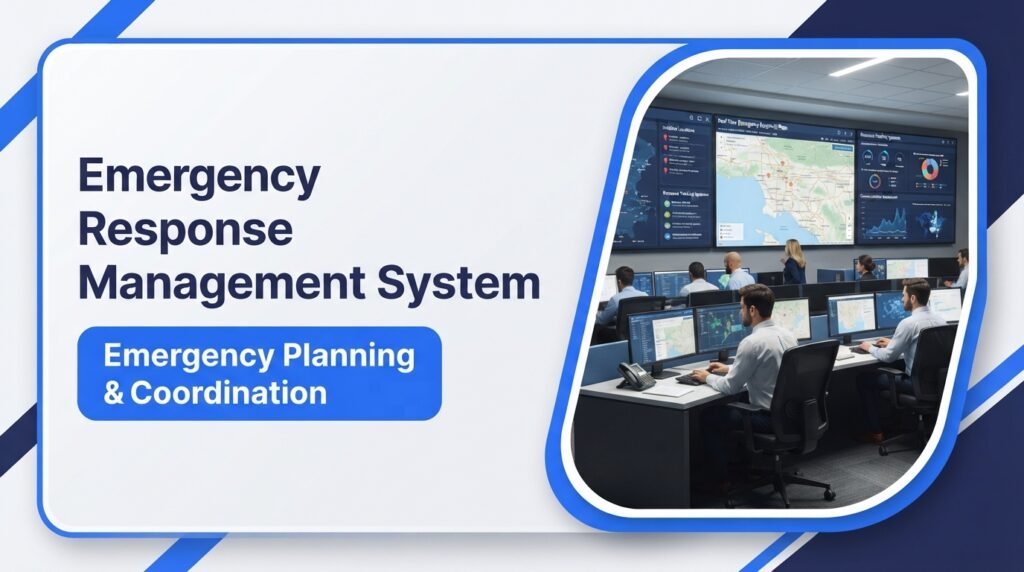
An emergency can happen without warning. A fire, severe storm, workplace accident, or major security incident can put people and property at risk. During these situations, organizations need a clear plan to manage the emergency and coordinate their response.
An emergency response management system helps organizations organize people, information, communication, and resources during an emergency. It provides a structured way to report incidents, assign responsibilities, share updates, and manage response activities.
Some organizations use formal emergency management procedures, while others use specialized software to support their response teams. In many cases, both work together.
This guide explains what an emergency response management system is, how it works, its main features, benefits, common uses, and how organizations can choose the right solution.
What Is an Emergency Response Management System?
An emergency response management system (ERMS) is a structured process, supported by people, procedures, communication tools, and sometimes software, that helps an organization prepare for, manage, and respond to emergencies.
Its main purpose is to help the right people receive accurate information, make informed decisions, and take appropriate action during an emergency.
An emergency response management system may include:
- Emergency response plans and procedures.
- Incident reporting and tracking.
- Emergency alerts and notifications.
- Communication between response teams.
- Personnel and equipment tracking.
- Incident command and coordination.
- Emergency records and reports.
- Recovery and follow-up activities.
The system can be used by government agencies, hospitals, schools, businesses, factories, transportation departments, and other organizations.
For example, if a fire breaks out inside a factory, the system can help notify the emergency team, share the incident location, assign response responsibilities, and track the resources being used.
It is important to know that an emergency response management system is not always a single software product. It can be an entire organizational framework supported by digital tools.
Example 1:
A manufacturing company uses an emergency response management system to report a factory fire, notify its safety team, contact emergency services, and track evacuation activities.
This example shows how people, procedures, and communication tools work together during an emergency.
How Does an Emergency Response Management System Work?
An emergency response management system follows a series of steps. These steps help organizations manage an incident from the first report through the response and recovery stages.
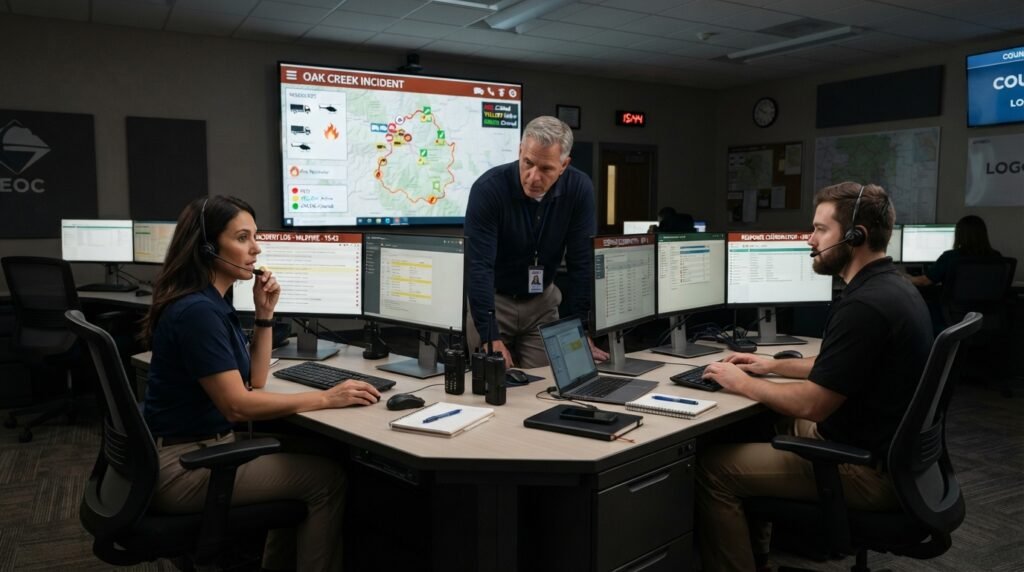
The exact process depends on the type of emergency and the organization’s emergency plan.
1. Emergency Detection and Reporting
The process begins when someone identifies a possible emergency.
An incident may be reported by an employee, security officer, emergency sensor, monitoring system, or member of the public.
The report may include:
- Type of emergency.
- Location of the incident.
- Date and time.
- People affected.
- Possible risks.
- Immediate actions already taken.
For example, a smoke detector may identify smoke in an office building. A security employee can report the situation through the organization’s emergency reporting system.
Example 2:
An employee notices smoke coming from a storage room and reports the fire incident through the company’s emergency reporting system.
The report gives the response team an early warning so it can follow the correct emergency procedure.
2. Incident Assessment
After receiving a report, the responsible team reviews the available information.
The team checks the type of incident, its location, possible danger, and the level of response needed.
Some incidents require immediate action, while others may need further investigation.
For example, a small water leak in an office may require a maintenance team. A major chemical spill may require trained hazardous-materials responders and emergency services.
3. Emergency Notifications
Once an incident is confirmed, the system helps notify the people who need to know.
Notifications may go to:
- Emergency response teams.
- Security departments.
- Facility managers.
- Employees and visitors.
- Local emergency services.
- Government agencies, when required.
Depending on the software, alerts may be sent through text messages, phone calls, emails, mobile applications, or public announcement systems.
Example 3:
A school administrator receives a severe weather alert and uses the school’s emergency notification system to inform teachers and staff.
This allows staff members to follow the school’s approved safety procedures without relying on separate messages from different people.
4. Response Team Coordination
The response team begins carrying out its assigned duties.
A designated leader or incident commander may coordinate the operation. Team members receive responsibilities based on their roles and training.
For example:
- Security staff may control access to the affected area.
- Safety officers may check evacuation procedures.
- Medical personnel may provide emergency care.
- Facility teams may manage building systems.
- Communication officers may share approved updates.
The Incident Command System (ICS) is a widely used method for organizing emergency response activities in the United States.
It provides a common structure that helps different departments and agencies work together.
5. Resource Management
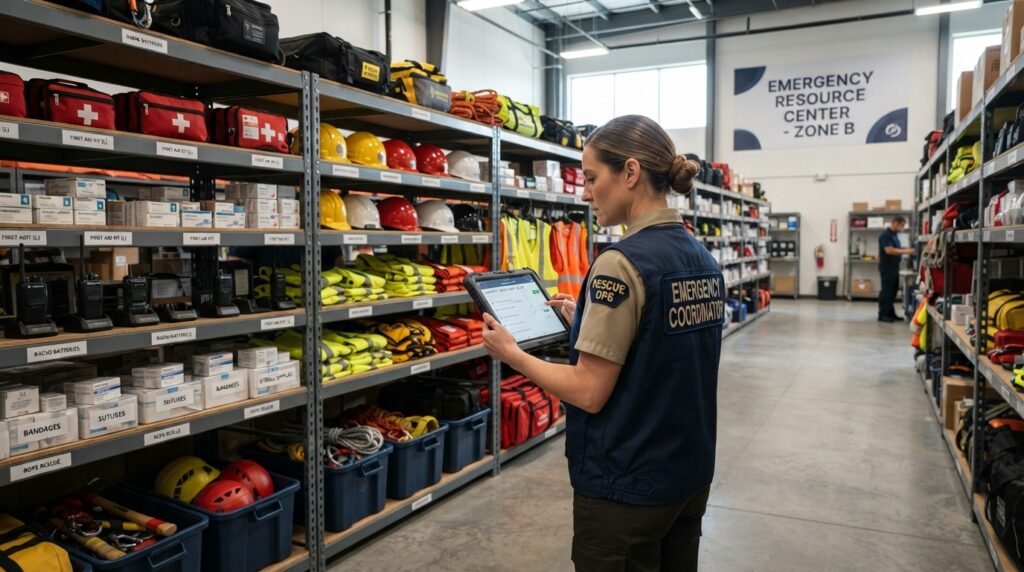
Emergency response teams need the right people, equipment, vehicles, and supplies.
A management system can help identify available resources and track where they are being used.
Common resources include:
- Fire extinguishers.
- First-aid supplies.
- Emergency vehicles.
- Protective equipment.
- Medical supplies.
- Rescue equipment.
- Trained personnel.
Example 4:
During a large building evacuation, the response coordinator checks the availability of first-aid kits, emergency vehicles, and trained medical staff.
This helps the team identify resource shortages and request additional support when needed.
6. Real-Time Monitoring and Updates
Emergency situations can change quickly. New information may affect the response plan.
An emergency response management system helps teams record updates and share important information.
For example, a road that was open at the beginning of a flood may later become unsafe. Response teams need to receive that update before sending vehicles through the area.
Digital systems may also provide maps, incident dashboards, status reports, and resource tracking.
7. Recovery and Reporting
After the immediate danger has passed, the organization begins recovery activities.
These may include:
- Checking damaged buildings and equipment.
- Supporting affected people.
- Restoring essential services.
- Reviewing response activities.
- Recording expenses and resources.
- Preparing an incident report.
- Updating emergency procedures.
The organization can use the information from the incident to improve future emergency planning.
Key Features of an Emergency Response Management System
The features of an emergency response management system depend on the organization’s needs and the software it uses.
However, most systems focus on several common functions.
1. Incident Reporting and Tracking
Incident reporting allows employees and response teams to report emergencies through a standard process.
The system can record details such as the incident type, location, time, status, and assigned team.
Incident tracking helps managers see whether an incident is new, active, under investigation, or closed.
2. Emergency Alerts and Notifications
An emergency notification system sends important messages to people who may be affected by an incident.
Depending on the solution, notifications may include:
- Fire warnings.
- Severe weather alerts.
- Evacuation instructions.
- Security warnings.
- Workplace safety notices.
- Emergency meeting information.
A good notification process should reach the correct people quickly and provide clear instructions.
3. Communication and Collaboration
During an emergency, different teams may need to share information.
A communication feature helps response teams exchange updates, report problems, and coordinate their activities.
Some systems provide group messaging, voice communication, status updates, and shared incident records.
Communication tools should also support backup methods in case the main network or mobile service becomes unavailable.
4. Resource and Personnel Management
This feature helps organizations track the people and equipment assigned to an emergency.
Managers may use it to check:
- Which response teams are available.
- Who has been assigned to an incident.
- Which vehicles are in use.
- What equipment is available.
- Whether additional resources are needed.
It also supports accountability by recording who is working on the incident and what responsibilities they have.
5. Emergency Planning and Document Storage
Organizations need emergency plans before an incident happens.
A digital system can store important documents, including:
- Emergency action plans.
- Evacuation procedures.
- Contact lists.
- Building maps.
- Safety instructions.
- Response checklists.
- Recovery plans.
Authorized staff can access these documents when needed.
However, organizations should keep printed or offline copies of essential instructions in case digital systems become unavailable.
6. Maps and Location Tracking
Some emergency management platforms include digital maps and location-based tools.
These features can help teams identify:
- Incident locations.
- Evacuation routes.
- Emergency shelters.
- Road closures.
- Response vehicle locations.
- Areas affected by severe weather.
Location tracking must follow applicable privacy rules and organizational policies.
7. Reporting and Performance Monitoring
Reporting tools help organizations review emergency activities.
A report may include the incident date, response actions, assigned resources, communication records, and final outcome.
Managers can use these records to identify delays, resource problems, and areas where staff training may be needed.
Types of Emergency Response Management Systems
Different organizations face different risks. Therefore, emergency response management systems can serve different purposes.
1. Public Safety Emergency Management Systems
These systems support government agencies, fire departments, police departments, and emergency management offices.
They may help coordinate multiple response teams, track incidents, and share information between agencies.
Example 5:
A city emergency management office uses an incident management system to coordinate information about road closures, public warnings, and emergency response teams during a major storm.
The system helps different departments work from shared incident information.
2. Hospital Emergency Management Systems
Hospitals need plans for incidents that may affect patients, employees, visitors, and medical services.
A hospital emergency management system may support:
- Emergency department coordination.
- Patient movement plans.
- Staff communication.
- Medical supply tracking.
- Hospital evacuation procedures.
- Disaster preparedness exercises.
Example 6:
A hospital activates its emergency operations plan after a nearby building collapse creates a sudden need for additional medical support.
The hospital coordinates staff, available beds, supplies, and communication through its emergency procedures.
3. Workplace Emergency Management Systems
Businesses use these systems to manage risks such as fires, workplace injuries, chemical spills, equipment failures, and security incidents.
They may include employee alert systems, evacuation plans, incident reporting, and safety training records.
Example 7:
A warehouse manager uses an emergency response system to notify employees about a chemical spill and direct them to follow the site’s evacuation procedures.
The system supports communication and coordination while trained responders handle the incident.
4. School Emergency Management Systems
Schools and colleges need procedures for situations that may affect students, teachers, and visitors.
A school emergency management system may support:
- Emergency announcements.
- Weather warnings.
- Evacuation plans.
- Building security procedures.
- Staff communication.
- Student accountability procedures.
The exact procedures should follow local requirements and the school’s approved safety plan.
5. Disaster Response Management Systems
These systems support responses to large events such as hurricanes, floods, earthquakes, wildfires, and other disasters.
They may help agencies share incident information, coordinate relief supplies, track response resources, and manage recovery work.
Example 8:
After a hurricane damages several communities, emergency managers use a disaster response management system to record supply requests and coordinate relief teams.
This helps response organizations keep track of requests and available resources.
Benefits of an Emergency Response Management System
A well-planned emergency response management system can help organizations improve how they prepare for and manage emergencies.
Here are some of its main benefits.
1. Better Emergency Coordination
Different departments may have separate responsibilities during an emergency.
A shared system helps them access relevant information and coordinate their assigned tasks.
This can reduce confusion and duplicated work.
2. Faster Information Sharing
An organized notification process helps send important information to the right people.
Instead of depending on separate phone calls and messages, organizations can use approved communication channels to share updates.
3. Improved Resource Management
Managers can check which people, vehicles, and supplies are available.
This makes it easier to identify resource shortages and request additional support.
4. Better Emergency Preparedness
Organizations can store emergency plans, contact details, checklists, and training records in one accessible location.
Regular training and emergency exercises can help employees become familiar with their responsibilities.
5. Clearer Accountability
Incident records help organizations identify who received an assignment, what actions were taken, and when important updates occurred.
This can support later reviews and improve recordkeeping.
6. Improved Decision-Making
Managers need accurate information to make decisions during emergencies.
Incident reports, maps, resource records, and status updates can help them assess the situation and choose appropriate actions.
However, decisions should still be made by qualified people using verified information and approved procedures.
7. Better Recovery Planning
Emergency management does not end when the immediate danger passes.
A system can help organizations record damage, track recovery tasks, and review lessons from the incident.
This information can support better planning for future events.
Emergency Response Management System vs. Emergency Management Software
These terms are closely related, but they do not always mean the same thing.
An emergency response management system refers to the overall structure used to manage emergencies. It may include people, policies, plans, training, communication methods, and technology.
Emergency management software is a digital tool that supports some of these activities.

Here is a simple comparison:
| Feature | Emergency Response Management System | Emergency Management Software |
|---|---|---|
| Main purpose | Organizes the overall emergency response | Supports emergency tasks through technology |
| Includes people and procedures | Yes | Not by itself |
| Stores emergency plans | Can include this function | Usually supports it |
| Sends notifications | Through approved communication methods | May send automated alerts |
| Tracks resources | Through people and processes | May provide digital tracking |
| Requires staff training | Yes | Yes |
| Works without software | Yes, with suitable plans and tools | Depends on the software |
For example, a company may have a complete emergency response plan that includes evacuation procedures, staff roles, and emergency contacts.
It may also use emergency management software to send alerts and record incidents.
The software supports the system, but it cannot replace trained staff or a proper emergency plan.
What Is the Difference Between ERMS, ICS, and EOC?
These three terms are related to emergency management, but each has a different role.
Emergency Response Management System (ERMS)
An ERMS is the overall framework or set of tools used to prepare for, coordinate, and manage emergency response activities.
Its exact meaning may vary between organizations and software providers.
Incident Command System (ICS)
The Incident Command System (ICS) is a standardized method for managing incidents.
It provides a clear structure for assigning responsibilities, setting objectives, coordinating teams, and managing resources.
ICS commonly uses five main functional areas:
- Command: Provides overall leadership and direction.
- Operations: Carries out the response activities.
- Planning: Collects information and prepares action plans.
- Logistics: Arranges equipment, supplies, and support.
- Finance and Administration: Tracks costs, records, and administrative matters.
Emergency Operations Center (EOC)
An Emergency Operations Center (EOC) is a location where authorized personnel coordinate information, resources, and support during an emergency.
An EOC may operate from a permanent facility or a temporary location.
It often supports field response teams by helping with planning, resource requests, and communication between agencies.
Quick Comparison
| Term | What It Means |
|---|---|
| ERMS | Overall emergency response framework or supporting system |
| ICS | Standard structure for managing an incident |
| EOC | Location used to coordinate emergency operations |
Example 9:
During a major flood, field responders use the Incident Command System (ICS) to organize rescue activities, while an Emergency Operations Center (EOC) coordinates additional supplies and support.
This example shows how different emergency management structures can work together.
How to Choose an Emergency Response Management System
Choosing the right system depends on the size of the organization, its risks, available resources, and emergency response needs.
Before selecting a solution, consider the following points.
1. Identify Your Organization’s Risks
Start by identifying the emergencies your organization may face.
A hospital, school, factory, and city government have different safety requirements.
Consider risks such as:
- Fire and smoke.
- Severe weather.
- Flooding.
- Workplace accidents.
- Security incidents.
- Equipment failures.
- Chemical spills.
- Utility interruptions.
This assessment helps identify the features your organization needs.
2. Check Incident Reporting Features
Choose a system that makes it easy for authorized users to report incidents.
It should allow users to record essential details and track incident progress.
Avoid systems that make basic reporting too difficult.
3. Review Communication Options
Check whether the solution supports the communication methods your organization uses.
These may include text messages, email, phone calls, mobile applications, and other approved channels.
Also ask how the system works when internet access or mobile networks fail.
4. Look for Resource Tracking
The system should support the type of resource tracking your organization requires.
For example, a hospital may need to track medical supplies and available staff, while a fire department may need to coordinate response vehicles and equipment.
5. Check Security and Privacy
Emergency systems may store sensitive information about employees, locations, incidents, and response activities.
Review:
- User access controls.
- Data encryption.
- Backup procedures.
- Data storage policies.
- Activity logs.
- Privacy settings.
- Security updates.
Make sure the provider explains how information is protected.
6. Test the System Before Full Use
Ask for a demonstration or trial if available.
Test common situations, such as reporting an incident, sending a notification, assigning a task, and generating a report.
Include the employees who will use the system during real emergencies.
7. Review Training and Technical Support
A system is useful only if staff members know how to use it.
Check whether the provider offers training materials, technical support, and regular software updates.
Organizations should also conduct emergency exercises to test their procedures.
How to Implement an Emergency Response Management System
Buying software is only one part of setting up an emergency response management system.
Organizations also need clear procedures, trained employees, and regular testing.
Follow these steps.
Step 1: Assess Emergency Risks
Identify possible emergencies and review how they could affect people, property, and operations.
Use the findings to set priorities.
Step 2: Create an Emergency Response Plan
Prepare written procedures for different emergency situations.
The plan should explain:
- Who is responsible for each task.
- How incidents are reported.
- Who receives emergency notifications.
- Where people should go during an evacuation.
- How response teams communicate.
- How additional resources are requested.
Step 3: Assign Roles and Responsibilities
Give employees clear responsibilities.
For example, a facility manager may coordinate building access, while trained safety staff manage specific response duties.
Make sure everyone knows who to contact and who is responsible for making key decisions.
Step 4: Select Suitable Tools
Choose software and communication tools based on your organization’s actual needs.
Avoid paying for features that your team will not use.
Step 5: Train Employees
Provide practical training on emergency procedures and the selected system.
Employees should know how to report incidents, receive alerts, and follow safety instructions.
Step 6: Conduct Emergency Drills
Run exercises to check whether the system and procedures work as expected.
A drill can reveal problems such as outdated contact details, unclear responsibilities, or missing supplies.
Step 7: Review and Improve
After each drill or real incident, review the results.
Update plans, correct problems, and provide additional training when needed.
Challenges and Limitations of Emergency Response Management Systems
An emergency response management system can support emergency operations, but it does not remove every risk.
Organizations should understand its limitations.
1. Technology Failures
Internet outages, power failures, damaged equipment, or software problems can interrupt digital communication.
Organizations should prepare backup communication methods and keep essential emergency procedures available offline.
2. Incorrect or Incomplete Information
A system is only as useful as the information entered into it.
Wrong locations, outdated contact details, or incomplete incident reports can lead to poor decisions.
Staff should follow clear reporting procedures and verify important information.
3. Lack of Employee Training
Employees may not know how to use a system during a stressful situation.
Regular training and emergency drills help reduce this problem.
4. High Setup and Maintenance Costs
Some emergency management platforms require software licenses, equipment, staff training, and ongoing technical support.
Organizations should compare the full cost before making a decision.
5. Communication Problems Between Agencies
Different departments may use separate systems and communication methods.
This can make information sharing difficult.
Organizations should plan how they will exchange information with partner agencies before an emergency occurs.
6. Cybersecurity and Privacy Risks
Digital emergency systems can contain sensitive operational and personal information.
Weak passwords, poor access controls, and outdated software may create security risks.
Organizations should use suitable security controls and review access regularly.
FAQs About Emergency Response Management Systems
What is the main purpose of an emergency response management system?
Its main purpose is to help organizations prepare for emergencies and coordinate their response. It supports incident reporting, communication, resource management, team coordination, and recovery activities.
What are the four main phases of emergency management?
The four widely used phases are mitigation, preparedness, response, and recovery.
- Mitigation: Reduce the risk or impact of future emergencies.
- Preparedness: Create plans, train staff, and prepare resources.
- Response: Take action during and immediately after an emergency.
- Recovery: Restore services, repair damage, and support affected people.
Who uses emergency response management systems?
Government agencies, hospitals, schools, fire departments, police departments, factories, businesses, transportation organizations, and nonprofit groups may use these systems.
Is emergency response management software the same as an ERMS?
No. Emergency response management software is a digital tool that supports emergency activities. An ERMS may include software, staff, emergency plans, procedures, communication methods, and resource management.
What are the most important features of an emergency response management system?
Common features include incident reporting, emergency notifications, team communication, resource tracking, emergency planning, mapping, and incident reporting tools.
The right features depend on the organization’s risks and responsibilities.
How does an emergency response management system improve safety?
It helps people receive important information, follow assigned responsibilities, and coordinate response activities. It can reduce confusion and support better decisions, but it cannot guarantee that every emergency will be prevented or managed without harm.
What is the difference between ICS and an emergency response management system?
The Incident Command System (ICS) is a standardized structure for managing an incident. An emergency response management system is a broader framework that may use ICS along with emergency plans, software, communication tools, and other procedures.
Can small businesses use an emergency response management system?
Yes. Small businesses can use simple emergency plans, contact lists, notification tools, incident forms, and staff training. They do not always need expensive software.
What is an Emergency Operations Center?
An Emergency Operations Center (EOC) is a location where authorized staff coordinate emergency information, resources, and support. It often helps field response teams and partner agencies manage larger incidents.
Is an emergency response management system required by law?
There is no single rule requiring every organization to purchase a specific ERMS product. However, certain industries and workplaces must follow applicable emergency planning, workplace safety, and emergency preparedness requirements. Requirements depend on the organization, location, and type of work.
Conclusion
An emergency response management system helps organizations prepare for emergencies, coordinate response teams, share information, and manage important resources. It can support many situations, including fires, workplace accidents, severe weather, security incidents, and large-scale disasters.
A successful system requires more than software. Organizations need clear emergency plans, trained employees, reliable communication methods, assigned responsibilities, and regular practice.
The best approach is to identify your organization’s risks first and then select the procedures and tools that meet those needs. Regular testing and updates will help keep the system useful when an actual emergency occurs.

Emily Carter (Content Writer & Communication Specialist) is a content writer and communication specialist at AllTypeInfo.com. She writes clear, practical, and easy-to-follow guides on email responses, message replies, writing templates, and everyday communication tips. Her goal is to help readers communicate with confidence in both personal and professional settings.