Have you ever sent an important email and received no reply? It can be difficult to know whether you should follow up, wait a little longer, or send another message. You want to get an answer without sounding pushy or impatient.
A gentle reminder email helps you bring your message back to someone’s attention in a polite way. Whether you are contacting a coworker, client, manager, recruiter, or business partner, the right wording can make your follow-up feel professional and respectful. This guide shares ready-to-use email examples, subject lines, and practical tips for different situations.
🔹 Key Takeaways
- Keep your reminder email short, polite, and clear.
- Refer to your previous email so the recipient knows what you mean.
- Allow reasonable time for a reply before following up.
- Use a friendly tone instead of blaming the recipient.
- Include the action or information you need.
- Offer to provide more details if necessary.
- Send another follow-up only when it makes sense for the situation.
What Is a Gentle Reminder Email?
A gentle reminder email is a polite follow-up message sent when someone has not replied to an earlier email or completed a requested action.
Its purpose is to bring the original message back to the recipient’s attention without creating unnecessary pressure. It can be used for unanswered questions, pending approvals, meeting requests, documents, job applications, invoices, and other professional matters.
For example, instead of writing, “Why haven’t you replied to my email?” you could say:
Hi Alex,
I wanted to follow up on my previous email about the project timeline. When you have a chance, could you please share an update?
Thank you!
This approach reminds the recipient of your request while keeping the conversation respectful.
When Should You Send a Gentle Reminder Email?
The right timing depends on the urgency of your request and your relationship with the recipient.
| Situation | Suggested waiting time |
|---|---|
| General work email | 2–3 business days |
| Client or business inquiry | 2–5 business days |
| Meeting invitation | 1–3 business days, depending on the meeting date |
| Job application follow-up | About 1–2 weeks, unless the employer gave a different timeline |
| Urgent work request | Follow the agreed deadline or workplace process |
| Invoice or payment reminder | Follow the payment terms and agreed schedule |
These are general guidelines, not strict rules. If the recipient gave you a specific response date, use that as your guide. For urgent safety or operational matters, use the appropriate direct communication channel rather than relying only on email.
12 Gentle Reminder Email Examples for No Response
Below are ready-to-use templates for common professional and personal situations. Replace the names, dates, and details to fit your needs.
1. General Gentle Reminder Email
Use this when you have sent an email but have not received a reply.
Subject: Gentle Follow-Up on My Previous Email
Hi [Name],
I hope you’re doing well. I wanted to follow up on my previous email about [topic].
When you have a moment, could you please share an update?
Thank you for your time.
Best regards, [Your Name]
Why it works: It reminds the recipient about your earlier message without sounding demanding.
2. Short and Polite Reminder Email
Choose this version when you want to keep your follow-up brief.
Subject: Quick Follow-Up
Hi [Name],
Just following up on my previous email about [topic]. When you get a chance, please let me know your thoughts.
Thanks!
Best, [Your Name]
Best for: Coworkers, familiar clients, and everyday work conversations.
3. Gentle Reminder Email to a Client
Use this template when you need an update or decision from a client.
Subject: Following Up on [Project or Request]
Hi [Client Name],
I hope you’re having a good week. I’m checking in on my previous email regarding [project or request].
Please let me know if you have any questions or need any additional information from my side.
I look forward to hearing from you.
Best regards, [Your Name]
Tip: Make it easy for the client to reply by stating exactly what you need from them.
4. Reminder Email to a Manager
When following up with your manager, keep the tone respectful and focus on the decision or information you need.
Subject: Follow-Up on [Task or Request]
Hi [Manager’s Name],
I wanted to follow up on my earlier email about [task or request]. When you have time, could you please let me know if there are any updates?
I need the information to move forward with [project or task].
Thank you for your guidance.
Best, [Your Name]
Why it works: It explains why you need a response without making the recipient feel blamed.
5. Gentle Reminder Email to a Coworker
Use a friendly tone when following up with a teammate.
Subject: Quick Check-In About [Task]
Hi [Name],
Just checking in on my earlier message about [task or document]. Do you have an update when you get a chance?
Let me know if you need anything from me.
Thanks, [Your Name]
This wording works well for routine requests and shared projects.
6. Follow-Up Email After No Response to a Meeting Request
If you need to arrange a meeting, remind the recipient of the proposed date or ask them to suggest another time.
Subject: Following Up on Meeting Availability
Hi [Name],
I wanted to follow up on my meeting request regarding [topic]. Would [date and time] work for you?
If that time isn’t convenient, I’m happy to consider another option.
Thank you, [Your Name]
If the meeting is approaching, include the date clearly so the recipient can respond quickly.
7. Gentle Reminder Email for a Pending Approval
Use this when a task cannot move forward until someone approves it.
Subject: Follow-Up on Approval for [Project or Request]
Hi [Name],
I hope you’re doing well. I’m following up on the approval request I sent on [date] for [project or item].
Could you please let me know if it’s approved or if any changes are needed?
Your feedback will help me plan the next steps.
Best regards, [Your Name]
Tip: If there is a deadline, mention it clearly and politely.
8. Gentle Reminder Email for a Document or File
Use this when you are waiting for a report, attachment, form, or other document.
Subject: Follow-Up on [Document Name]
Hi [Name],
I wanted to check in about the [document or file] mentioned in my previous email.
Could you please share it when you have a chance? If you need any details from me, I’m happy to help.
Thanks for your time.
Best, [Your Name]
9. Follow-Up Email After No Response to a Job Application
Keep your message professional and show continued interest without expecting an immediate answer.
Subject: Follow-Up on [Job Title] Application
Dear [Hiring Manager’s Name],
I hope you’re doing well. I’m writing to follow up on my application for the [Job Title] position, submitted on [date].
I’m still interested in the opportunity and would appreciate any update you can share about the hiring process.
Thank you for your time and consideration.
Sincerely, [Your Name]
Important: If the employer provided a timeline, wait until that period has passed before following up.
10. Gentle Reminder Email to a Business Partner
Use this when you are waiting for feedback, a decision, or information related to a business arrangement.
Subject: Checking In on [Business Topic]
Hi [Name],
I hope all is well. I wanted to check in regarding my previous email about [business topic].
When convenient, could you share your thoughts or let me know if you need anything else from me?
I appreciate your time and look forward to your response.
Best regards, [Your Name]
11. Gentle Reminder Email Before a Deadline
When a deadline is approaching, state the date and explain what you need.
Subject: Reminder: [Task] Due on [Date]
Hi [Name],
I’m following up on my previous email about [task or request]. Since the deadline is [date], could you please send me an update by [specific time or date], if possible?
Please let me know if anything is needed from my side.
Thank you for your help.
Best, [Your Name]
This is more direct than a general reminder, but it remains polite.
12. Second Follow-Up Email After No Response
If you have already sent one reminder and still have not received a reply, keep your next message calm and professional.
Subject: Second Follow-Up on [Topic]
Hi [Name],
I’m checking in once more on my emails about [topic]. I understand you may be busy, so I wanted to bring this request back to your attention.
Could you please let me know whether this is still something you can help with? If another person would be better to contact, I’d appreciate your guidance.
Thank you for your time.
Best regards, [Your Name]
Avoid sending repeated reminders too close together. If the matter is not urgent, allow time for the recipient to respond before sending another message.
Best Subject Lines for Gentle Reminder Emails
A clear subject line helps the recipient recognize the purpose of your email before opening it.
| Situation | Suggested subject line |
|---|---|
| General follow-up | Gentle Follow-Up on My Previous Email |
| Quick reminder | Quick Follow-Up |
| Client request | Checking In on [Project Name] |
| Pending approval | Follow-Up on Approval Request |
| Missing document | Reminder: [Document Name] |
| Meeting request | Following Up on Meeting Availability |
| Job application | Follow-Up on [Job Title] Application |
| Upcoming deadline | Reminder: [Task] Due on [Date] |
| Second follow-up | Second Follow-Up on [Topic] |
| Awaiting feedback | Checking In on Your Feedback |
Quick tip: If you are replying in the original email thread, keeping the existing subject line is often best. It helps the recipient find the earlier conversation.
How to Write a Gentle Reminder Email Without Sounding Pushy
A good reminder email makes it easy for someone to understand your request and respond. Follow these simple steps.

1. Start With a Friendly Greeting
Use a greeting that matches your relationship with the recipient.
Examples:
- “Hi [Name],”
- “Hello [Name],”
- “Dear [Name],” for more formal communication.
2. Refer to Your Previous Email
Briefly mention the topic or request so the recipient knows which message you mean.
For example:
I’m following up on my previous email about the project proposal.
Avoid making the recipient search through several unrelated emails to find your request.
3. Make Your Request Clear
Ask for the update, document, decision, or answer you need.
Instead of writing, “Any news?” you could say:
Could you please let me know whether the proposal has been approved?
A clear question makes it easier for the recipient to provide a useful answer.
4. Keep the Tone Polite
Choose friendly language rather than words that sound angry or impatient.
| Avoid saying | Try saying |
|---|---|
| Why haven’t you replied? | I wanted to follow up on my previous email. |
| You still haven’t sent it. | I’m checking in on the document I requested. |
| I need an answer immediately. | Could you please share an update by [date]? |
| I’m waiting for your response. | I would appreciate an update when you have a chance. |
| You ignored my email. | I wanted to bring my earlier message back to your attention. |
5. Explain the Deadline if Needed
If your work depends on the recipient’s reply, explain the reason and give a reasonable deadline.
For example:
If possible, could you share your feedback by Thursday? I need it to finalize the report before Friday’s meeting.
This gives the recipient useful context instead of adding pressure without explanation.
6. End With a Courteous Closing
Finish with a short expression of thanks or an offer to help.
Examples:
- “Thanks for your time.”
- “I appreciate your help.”
- “Please let me know if you need any additional information.”
- “I look forward to hearing from you.”
Choose a closing that fits the situation rather than adding several polite phrases to every email.
Common Mistakes to Avoid in Reminder Emails
Even a short follow-up can sound uncomfortable if the wording is wrong. Watch out for these mistakes.
Sending Too Many Emails
Sending several reminders within a short period can frustrate the recipient. Give them reasonable time to respond, unless the deadline or urgency requires quicker action.
Sounding Accusatory
Phrases such as “You haven’t responded” can sound like blame. Focus on the request instead of the recipient’s lack of response.
Writing a Long Explanation
A reminder usually does not need to repeat your entire original email. Mention the topic, restate the request, and include any relevant deadline.
Forgetting the Original Context
A vague message such as “Just checking” may not tell the recipient what you need. Mention the topic or reply within the original email thread.
Using a Deadline Without a Reason
Avoid demanding an immediate response when the request is not urgent. If you need an answer by a certain date, explain why whenever appropriate.
Treating Every Recipient the Same Way
A message to a close coworker can be more casual than a message to a senior manager or new client. Adjust the greeting, tone, and level of detail to fit the relationship.
What to Do If There Is Still No Response
If your gentle reminder does not receive a reply, decide what to do based on the importance of the request.
- Check the original email. Make sure you used the correct address and included the necessary details or attachments.
- Allow more time. The recipient may be busy, away, or waiting for information from someone else.
- Send one clear follow-up. Restate your request and mention a relevant deadline if needed.
- Try another appropriate channel. For an important work matter, a brief chat or call may be more effective than another email.
- Contact the appropriate person. If the matter is time-sensitive and the recipient remains unavailable, ask the relevant team member or manager for guidance.
Not every unanswered email means the recipient is ignoring you. A calm, practical approach helps you move forward without damaging the relationship.
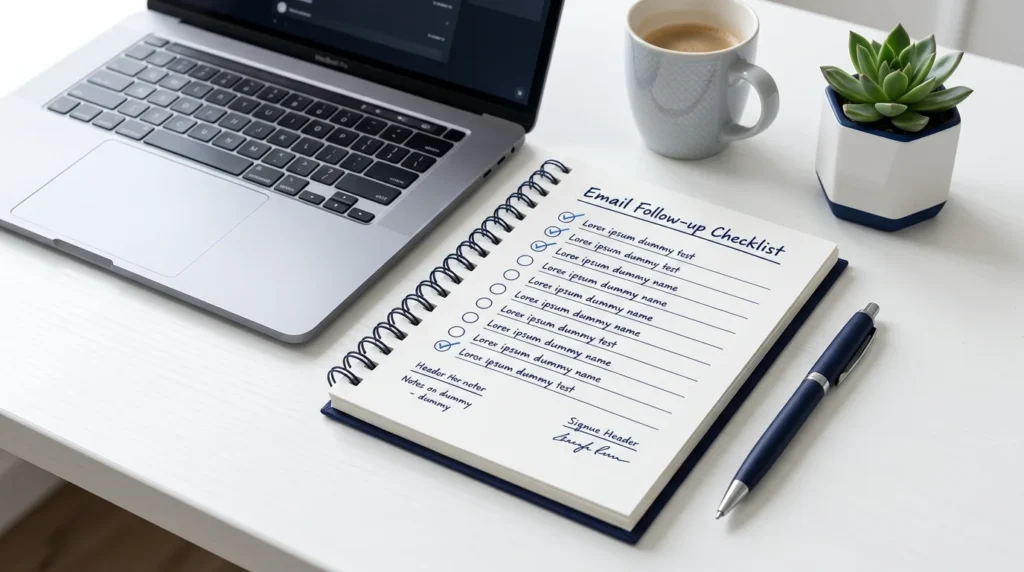
✉️ Quick Checklist Before Sending
Use this checklist to review your reminder email.
- Is the subject line clear?
- Have I mentioned my previous email or request?
- Is my main question easy to understand?
- Does the message sound polite and professional?
- Have I included a deadline only if needed?
- Is the email short enough to read quickly?
- Have I allowed a reasonable amount of time for a reply?
- Have I checked the recipient’s name and any attachments?
If you can check these points, your reminder is likely to be clear and respectful.
Frequently Asked Questions
1. How do you politely remind someone to reply to an email?
Refer to your previous email, briefly restate your request, and ask for an update in a friendly way. For example: “Hi [Name], I wanted to follow up on my previous email about [topic]. When you have a chance, could you please share an update?”
2. How long should I wait before sending a reminder email?
For a routine professional email, waiting two to three business days is often reasonable. For job applications, client requests, or other situations, the right timing may be longer. Follow any timeline the recipient has provided.
3. What is a good subject line for a gentle reminder email?
“Gentle Follow-Up on My Previous Email” is a useful general option. You can also use “Quick Follow-Up,” “Checking In on [Topic],” or “Follow-Up on [Request].”
4. How do I follow up without sounding pushy?
Keep your message brief, avoid blaming the recipient, and ask a clear question. Give them reasonable time to reply and explain any deadline that matters.
5. Can I send a second reminder email if there is no response?
Yes, when the request is still important and enough time has passed. Briefly refer to your earlier messages, restate what you need, and consider asking whether someone else can help.
6. Should I reply to the original email or start a new thread?
Replying to the original email is usually helpful because it keeps the conversation and earlier details together. Start a new thread when the subject has changed or the old thread is difficult to follow.
7. How do I write a gentle reminder email to my boss?
Use a respectful greeting, mention the request, and explain why you need the response. For example: “Hi [Name], I’m following up on my request about [topic]. Could you please let me know if there are any updates when you have a chance?”
8. What should I do if someone never replies to my emails?
Check that your email reached the right person, allow reasonable time, and try one appropriate follow-up. If the matter is important, use another suitable communication channel or contact the relevant person for guidance.
Conclusion
A gentle reminder email helps you follow up on unanswered messages without sounding impatient or demanding. Keep your message short, mention your original request, use polite language, and make the next step clear. The best approach depends on your relationship with the recipient, the urgency of the matter, and any deadlines involved.
Before sending another email, consider whether the recipient has had enough time to respond. Choose a template from this guide, adjust it to your situation, and send a message that is respectful, clear, and easy to answer.

Emily Carter (Content Writer & Communication Specialist) is a content writer and communication specialist at AllTypeInfo.com. She writes clear, practical, and easy-to-follow guides on email responses, message replies, writing templates, and everyday communication tips. Her goal is to help readers communicate with confidence in both personal and professional settings.